
Planner integration - AirSaas
Ease project governance without compromising task management

Companies that use Teams daily know Planner well. The free version of the task-management tool is built into Teams — which explains why its popularity is so high. First, it's ready for everyone to use with no extra installation. The convenience is real. Second, it saves money for organisations that don't need to buy a new licence.
Planner is definitely a practical tool that your teams love using!
Despite its qualities, this task-management tool has one limit: getting an overall view of every cross-functional project your company runs is impossible. Under those conditions, it's complicated to involve the exec committee. And yet we know how essential that is!
That's where AirSaas comes in — a tool designed to make involving leadership easy!
With our tool, your project governance moves up a level without disrupting your teams, who keep managing their tasks directly in Planner.
Project framing + frequent follow-up rituals + clear decision processes + automated reporting = projects launched successfully.
The AirSaas - Planner integration lets your teams work as they always have, while involving leadership, project managers and business owners in your project governance easily!
A perfect connection for these 2 natively connected tools!
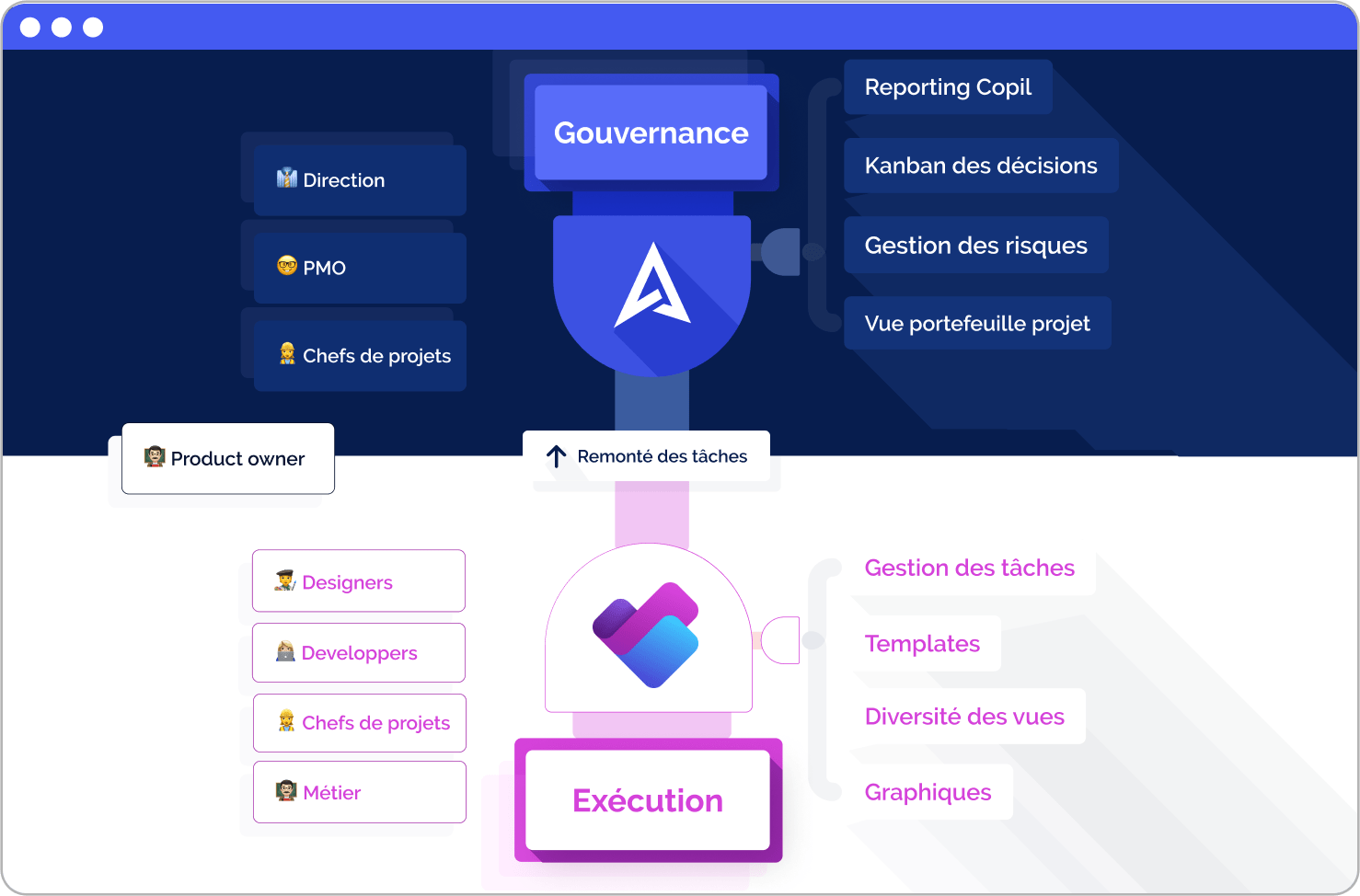
Cross-functional steering on AirSaas, task execution on Planner.
If your teams are used to working in Planner to execute their tasks, there's no reason to force a new tool on them! That said, it's important for your organisation to let leadership make the key decisions on cross-functional projects. So a common tool is essential to improve and boost your project governance.
Start by using AirSaas with business directors and executive leadership to frame and validate your project. Then create a new project on Planner in one click so teams can get to work quickly.
☝️Create the project on Planner
✌️Choose to use your Planner project templates if you want
🤟Planner tasks are pulled into AirSaas automatically
Thanks to this integration, you keep alignment on your project's scope and key steps.
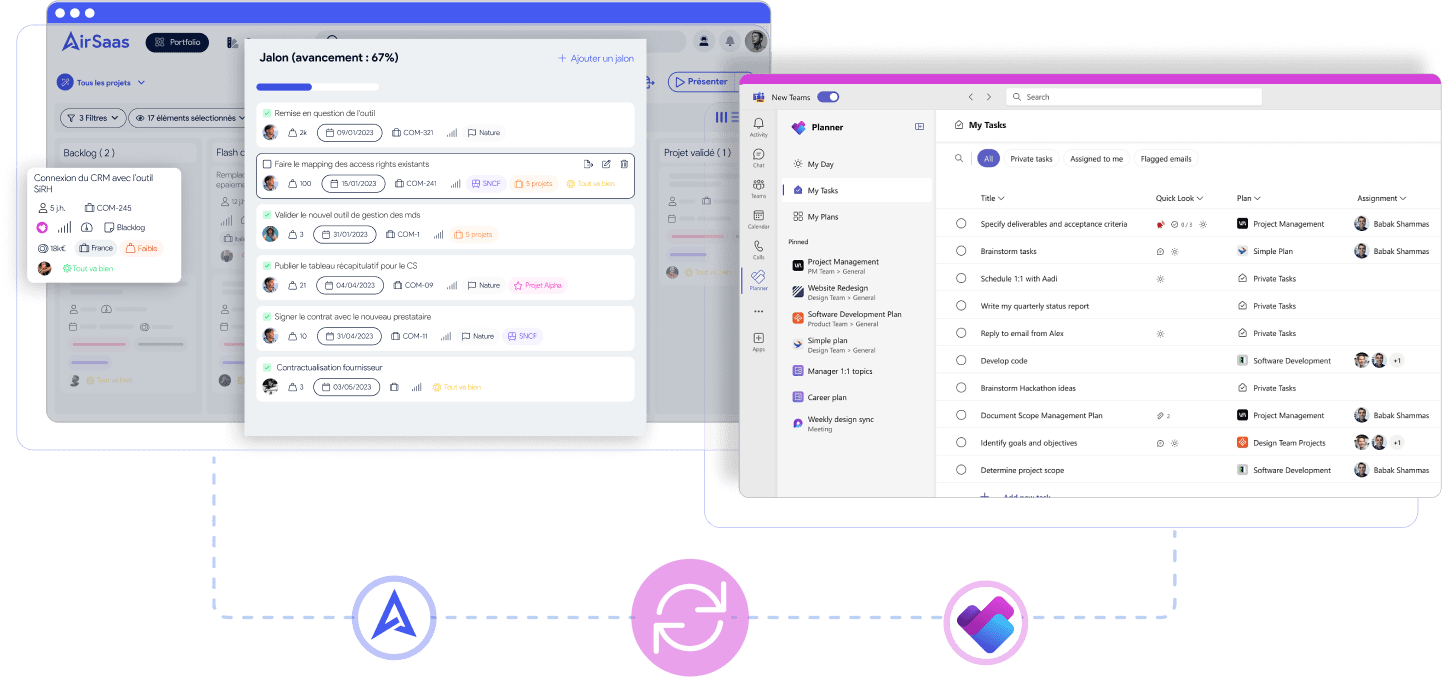
This integration is a real benefit:
Your teams' habits stay unchanged! The integration is simple and quick, with no disruption to your people's work in their favourite tool!
No manual data re-entry in AirSaas, since the tasks linked to projects are synced automatically.
You can steer the project without knowing the task details. With the overall view, you have enough information to make the decisions you need.
Progress indicators available in AirSaas
With this integration, you pull in Planner tasks and can track their progress without leaving AirSaas.
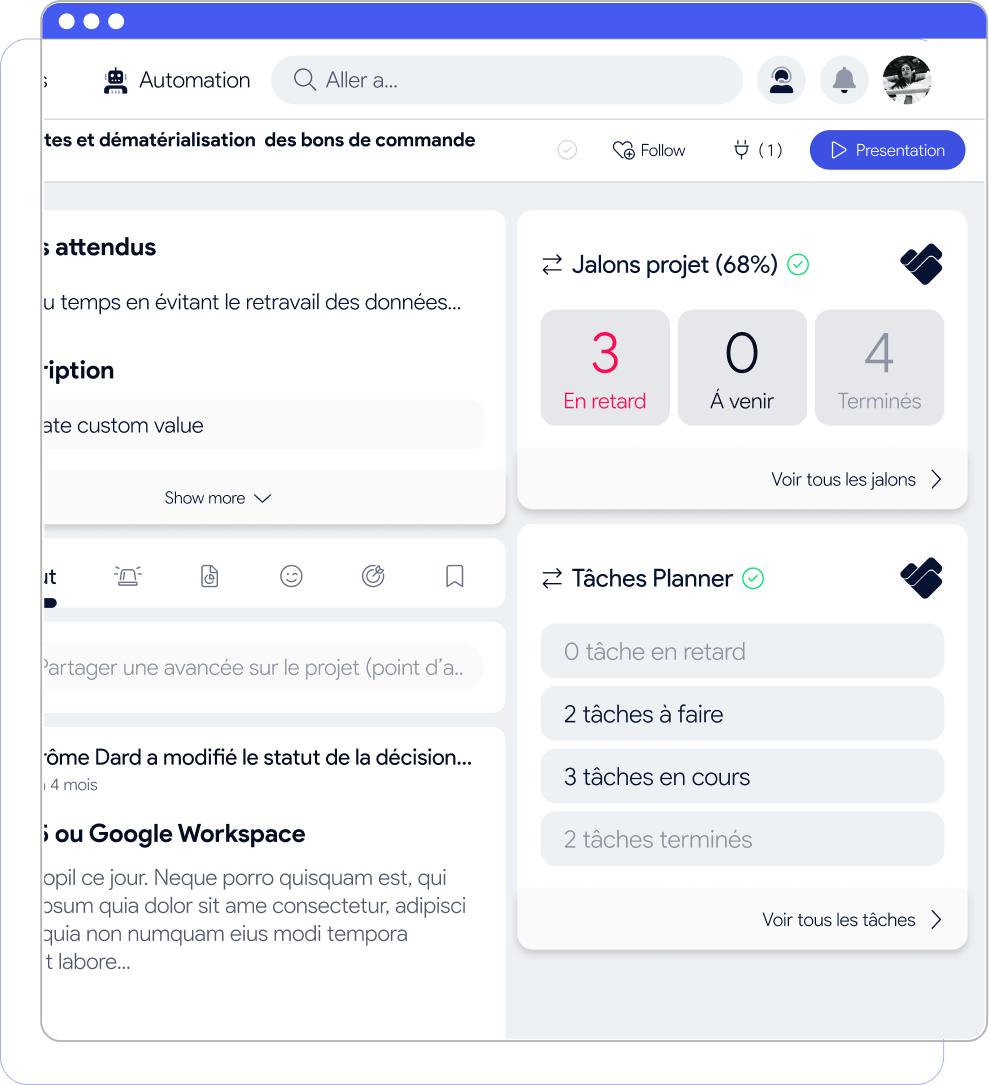
Tasks are read-only, but you can choose which attributes to display for more or less detail.
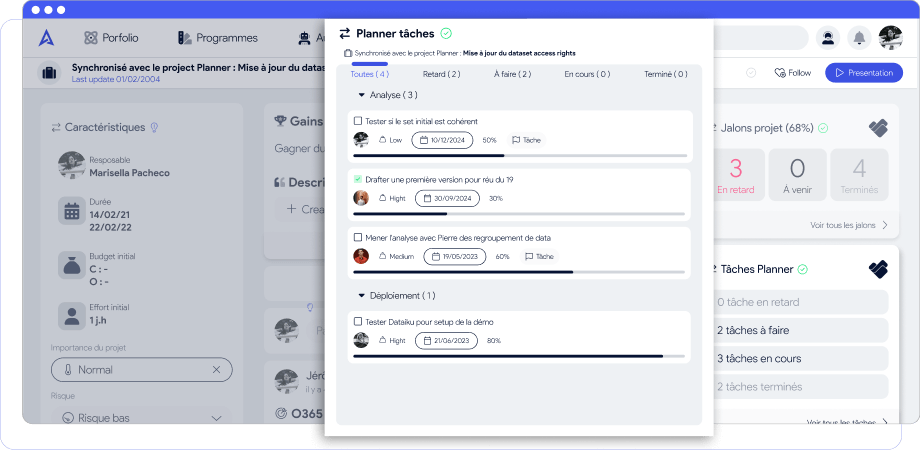
In short, AirSaas is the project-governance tool your organisation needs. On one side, it aligns leadership, project teams and business directors on project prioritisation. Every stakeholder is informed of project progress without being swamped by a flood of detail. On the other, its Planner integration means nothing changes in your teams' daily routine for their usual tasks. The AirSaas-Planner integration unites two complementary tools, preserves teams' working habits, avoids data re-entry and — above all — lets you see project progress for optimal decision-making.