Jira integration - AirSaas
Align your delivery and your company governance
Your tech teams are running smoothly on Jira? Sprints keep shipping and user stories fly into production! Well done 👏
On the other hand ...
- You feel that communication between the project team and delivery isn't always smooth? “A milestone slipped and nobody told us”, “we hadn't understood the new site had to ship by end of June”, “this app doesn't really meet the need...” 😪
- You can't get sponsors and business teams onto Jira? That's normal — there's a lot of detail, and they're looking for a more synthetic view.
- So you spend a lot of time building PowerPoint reports to report to your manager, prepare your exec committees, keep the business informed ...
No panic! You're a few clicks away from putting an end to all of this.
The AirSaas integration with Jira now helps you align project teams and delivery by syncing milestones automatically. Information is always up to date, avoiding delays and confusion, and fostering effective collaboration to guarantee your projects' success. Progress information is available directly in AirSaas, at the right level of abstraction for the business and leadership.
Macro steering on AirSaas, fine-grained execution on Jira
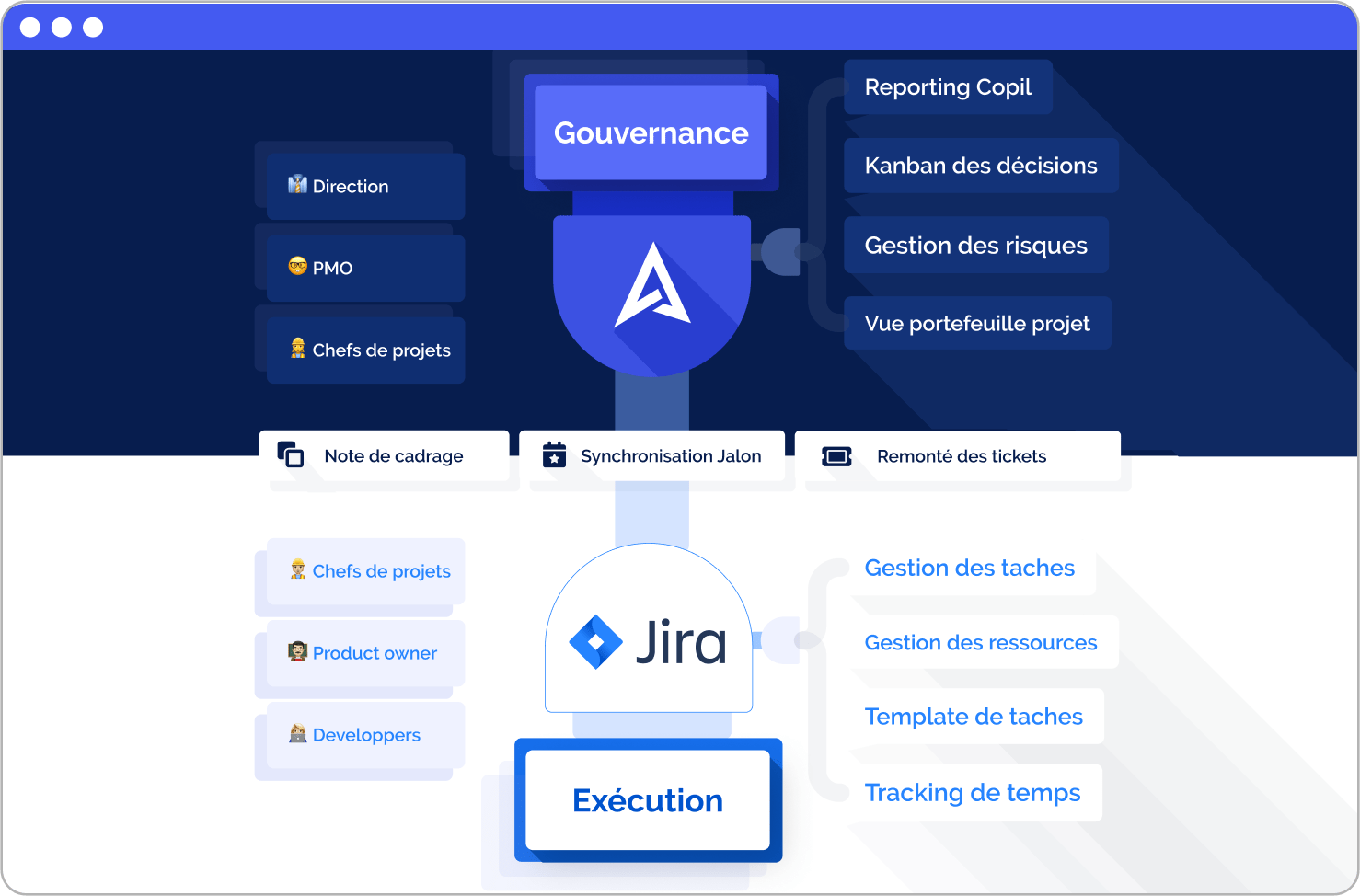
Once your project has been framed and validated with the business and executive leadership on AirSaas, sync it with Jira.
Choose the Jira project (or projects) that will carry the project's operational execution.
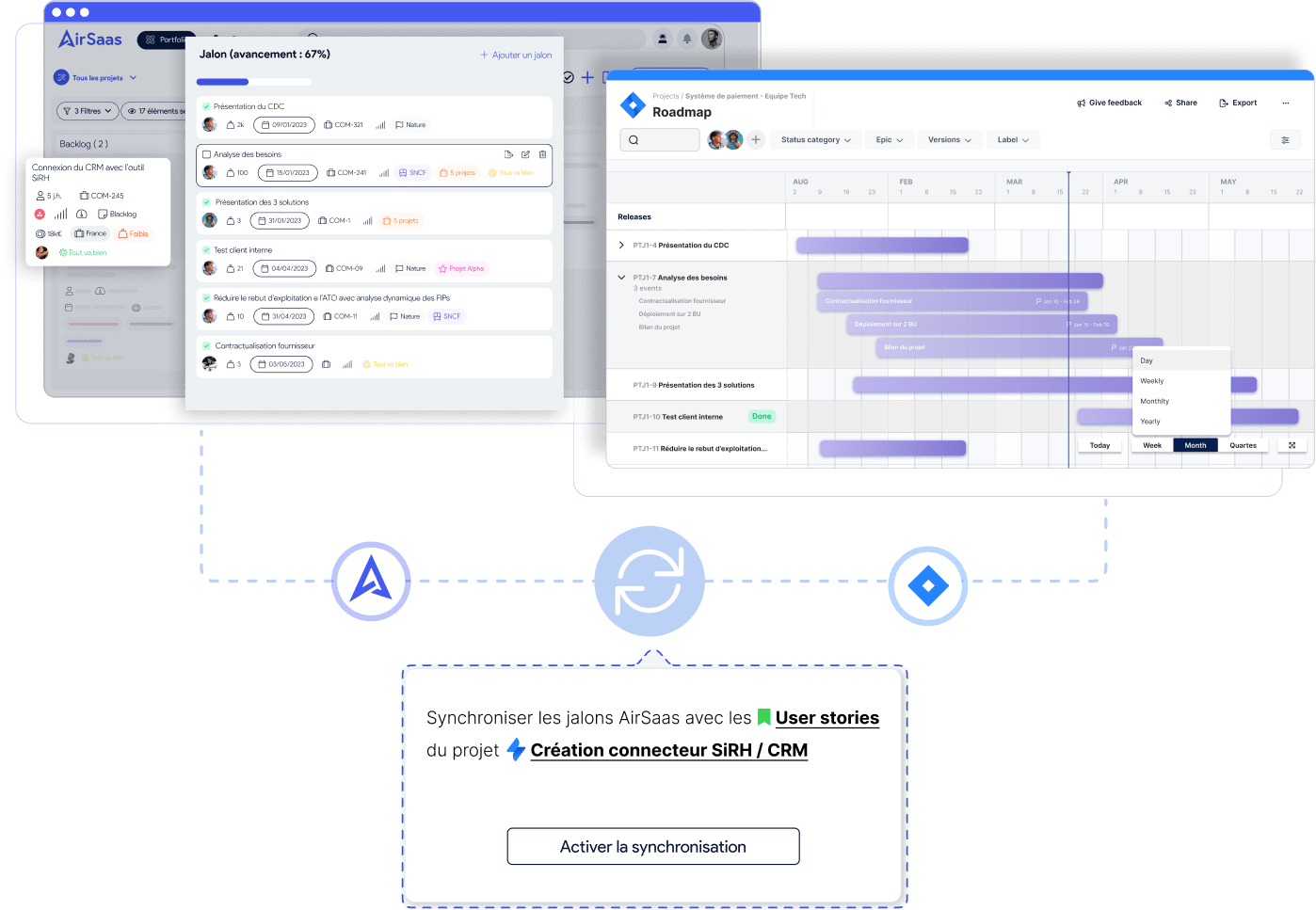
AirSaas milestones are created and synced on Jira automatically, keeping perfect alignment on the key steps to clear for the project to succeed.
If you work in Agile mode, AirSaas milestones become User Stories in Jira
What you'll love:
- Zero impact for tech teams — they can keep working as before in their favourite tool. The change is transparent for them and the integration is quick.
- No more re-keying information for your project teams — information is created and synced automatically.
- No need to dive into task details to steer the project. Keep a level of abstraction to anticipate better and make good decisions.
The details that make the difference:
- Your AirSaas project across several Jira projects. You may use Jira projects as teams (e.g. IT team, Data team, etc.). Some milestones will be carried by different teams in Jira. No problem — you can dispatch AirSaas milestones into the matching Jira projects.
- Several AirSaas projects in a single Jira project. If you use Jira projects as “products” (e.g. iOS app, Data platform, etc.), several AirSaas projects will run and sync with the same Jira project. No problemo.
Tracking progress without leaving AirSaas
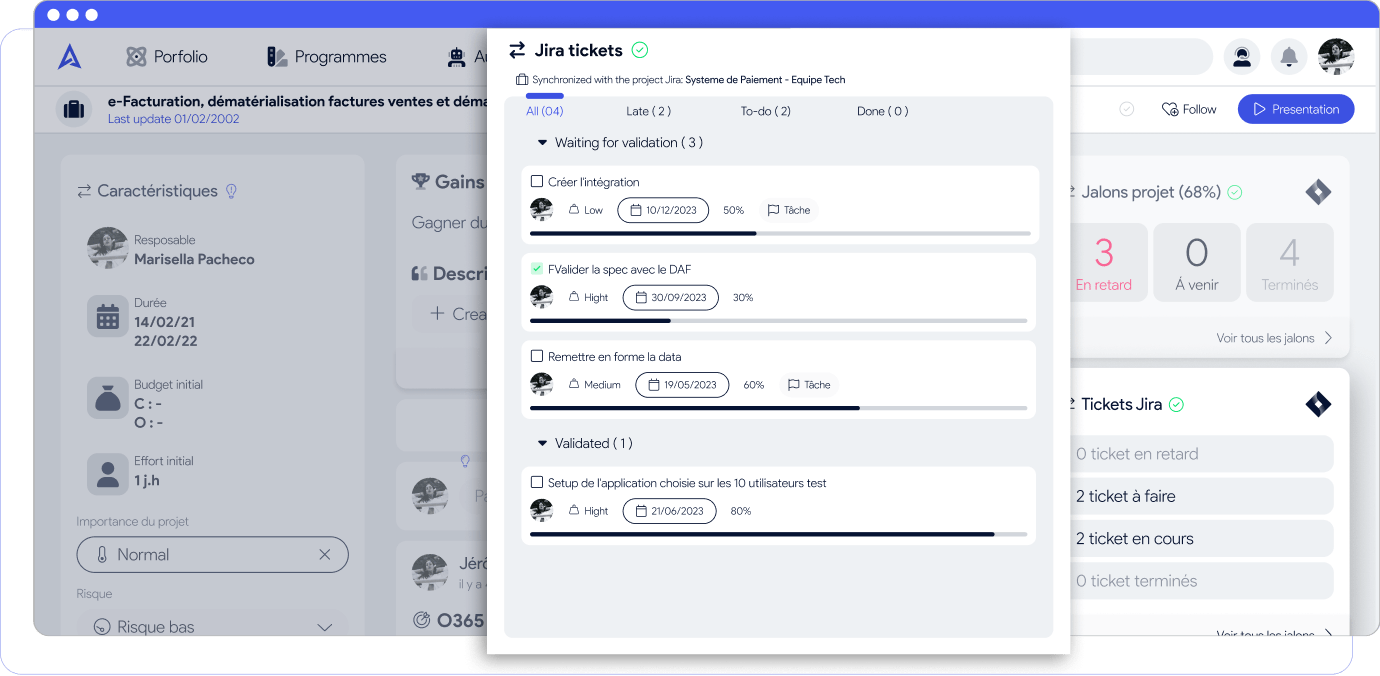
We've seen that milestones are now synced, but that's not all. You can choose to pull in Jira tickets to keep an eye on progress without switching tools.
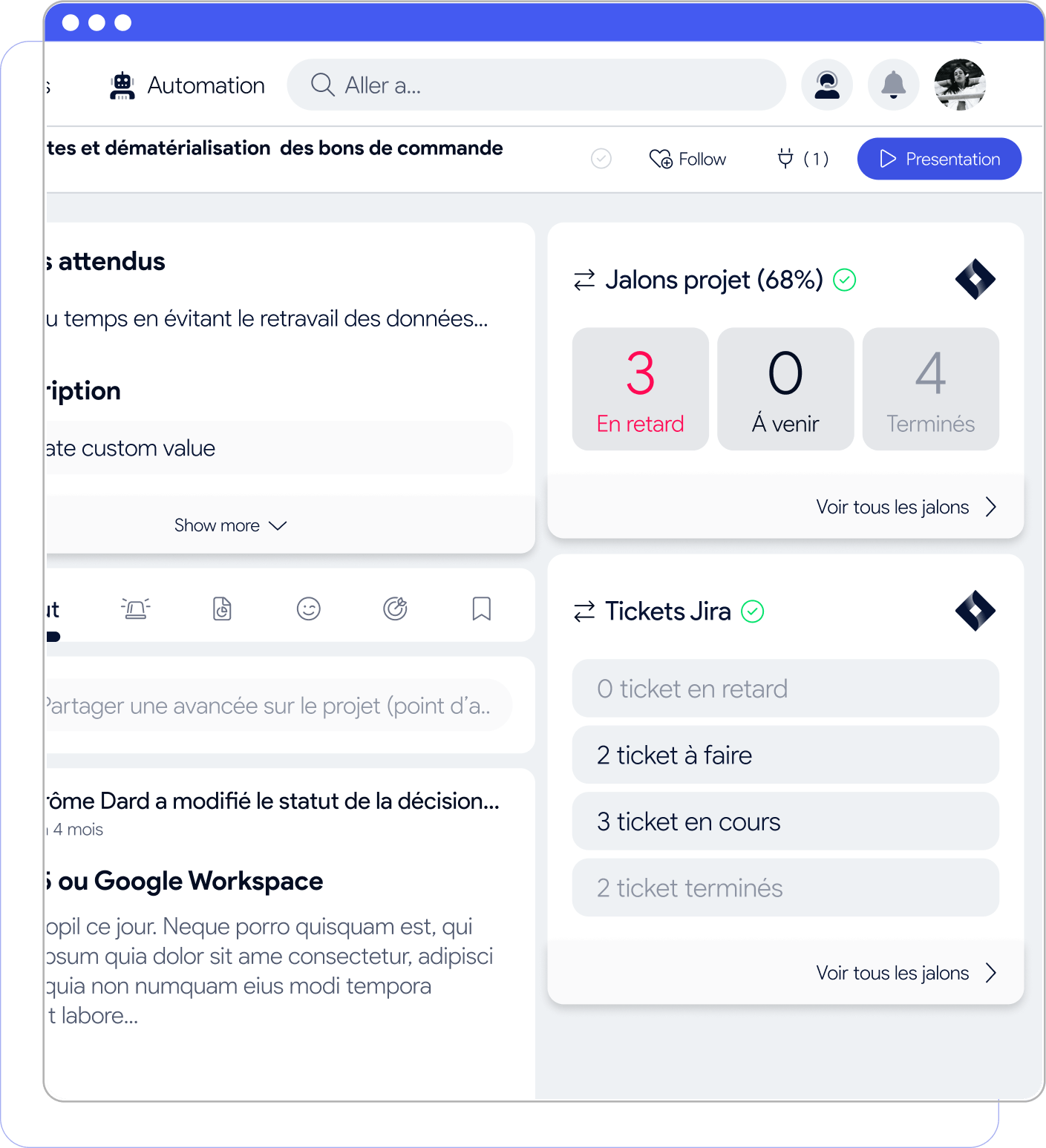
Tickets are read-only; you choose which attributes to display for more or less detail.