
Asana integration - AirSaas
Align project governance and execution
Asana is one of the most ergonomic project-management tools on the market. Its ease of adoption and clean design are often among companies' selection criteria.
Your teams have found their feet and are happy with Asana? Great — you're a big part of the way there 👌
But you feel projects are multiplying and you lack an overall view. You need to track your programmes' progress, report across the board to your exec committee, involve directors more widely without dragging them down to task level?
Welcome to AirSaas 👋
With AirSaas, put effective project governance in place without disrupting your project teams on Asana.
Consistent project framing + follow-up rituals + a smooth decision process + automated reporting = successful projects.
By integrating AirSaas with Asana, you align the people responsible for project governance with those in charge of the fine-grained execution of those projects.
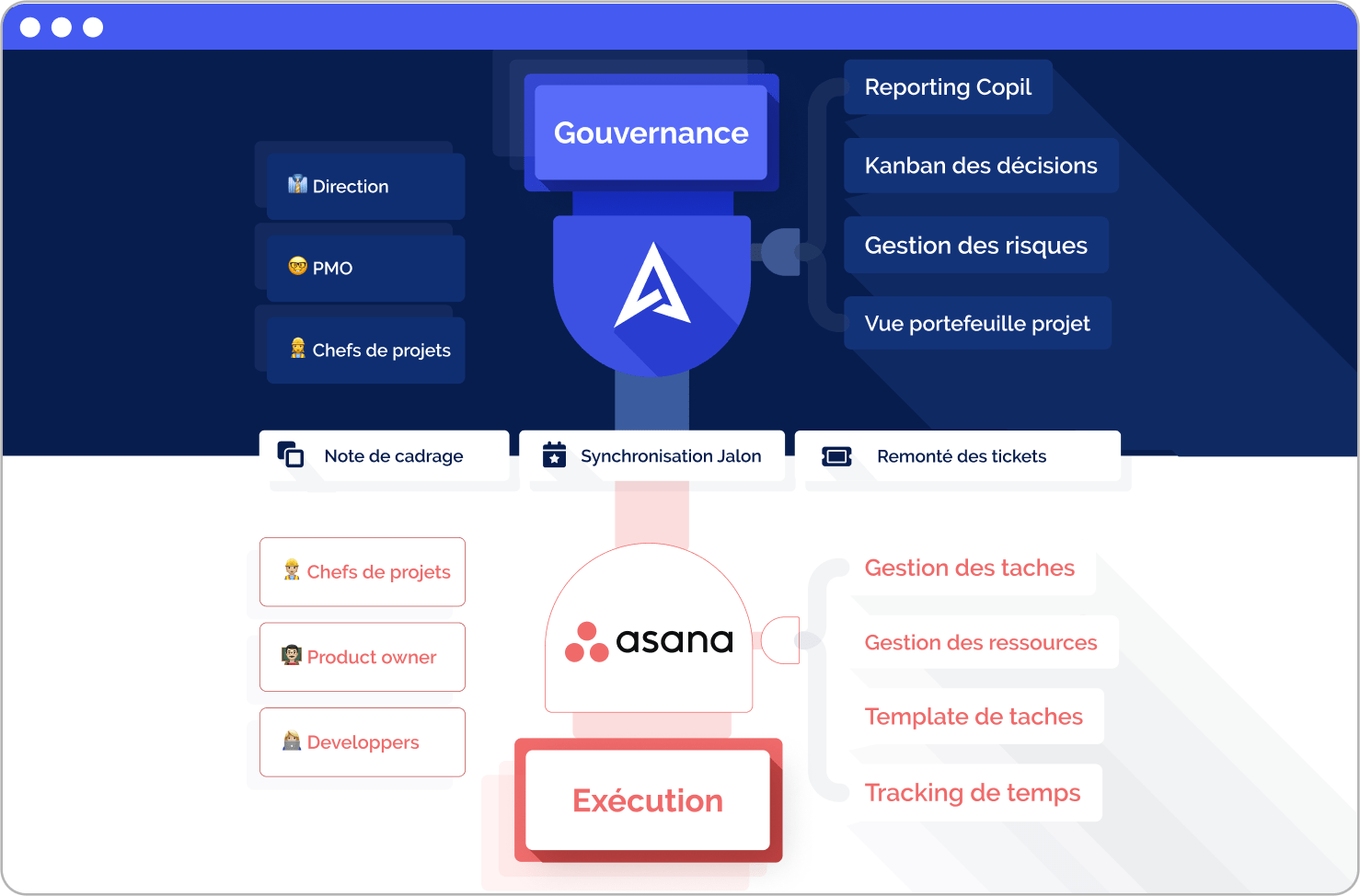
Get the best of both tools in one click!
And to go further, listen to the story “from governance to execution” with Aurore Butrot, CIO of the Intuis group, who uses AirSaas + Asana.
Macro steering on AirSaas, fine-grained execution on Asana
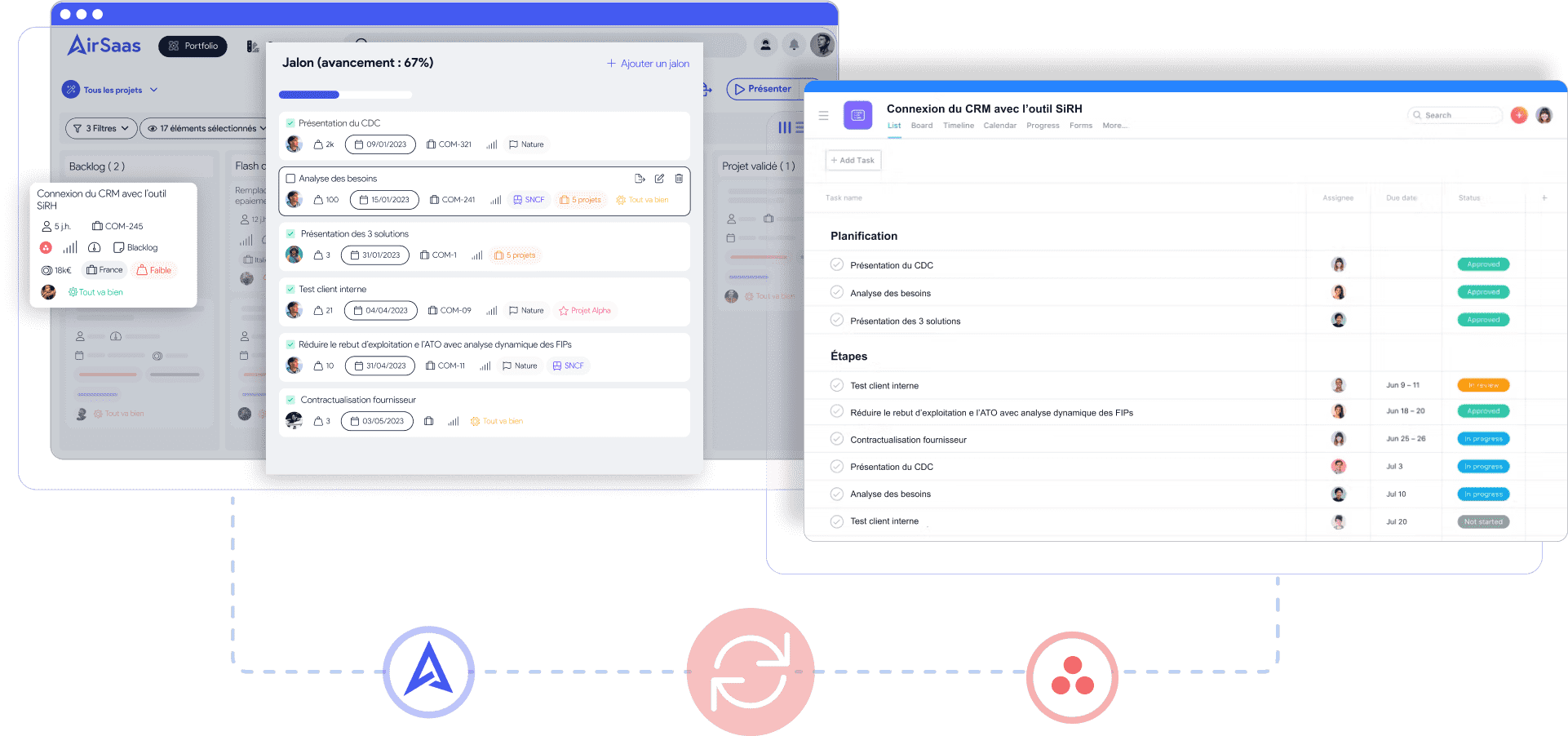
Once your project has been framed and validated with the business and executive leadership on AirSaas, you can create a new project on Asana in one click.
☝️The framing note is pushed into the Asana project brief.
✌️The project's start and end dates are synced
🤟All your AirSaas milestones are also created on Asana and stay in sync
That way you keep perfect alignment on the scope and the key steps to clear for the project to succeed.
If you'd rather sync your AirSaas project with a project that already exists on Asana, that works too
What you'll love:
- Change nothing in Asana — your teams can keep working as before in their favourite tool. The change is transparent for them and the integration is quick.
- No more re-keying information for your project teams — information is created and synced automatically.
- No need to dive into task details to steer the project. Keep a level of abstraction to anticipate better and make good decisions.
Tracking progress without leaving AirSaas
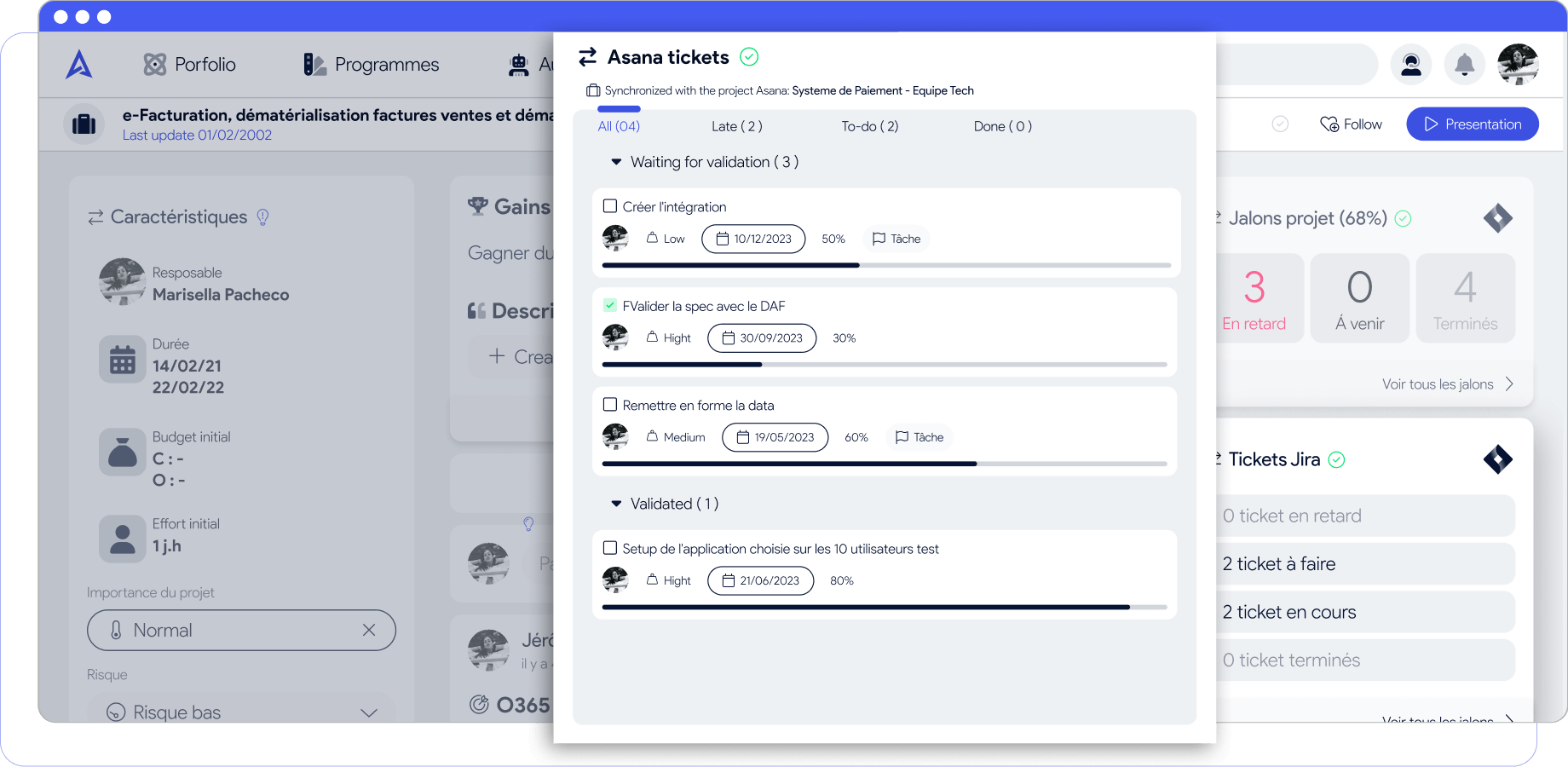
We've seen that milestones are now synced, but that's not all. You can choose to pull in Asana tasks to keep an eye on progress without switching tools.
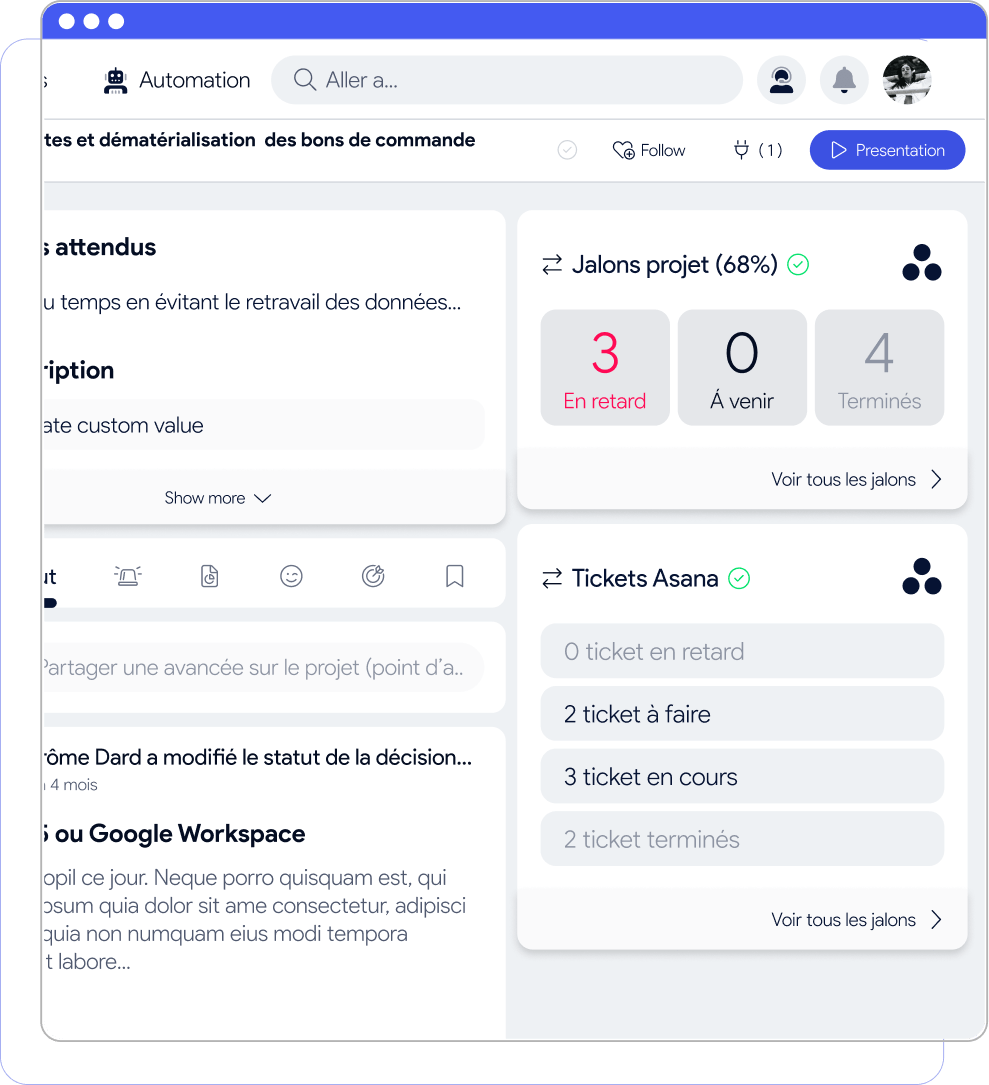
Tasks are read-only; you choose which attributes to display for more or less detail.
In summary
- AirSaas lets you align leadership, project teams and the business on project prioritisation and keep everyone informed of progress without going into the detail
- Asana gives you fine-grained execution of the project by listing every task to complete in order to hit the key milestones and allocate responsibilities properly
- The AirSaas - Asana integration bridges those two worlds. No more re-keying milestones into Asana, and no more opening Asana to get a macro view of project progress.