October 8, 20216 min readBertran Ruiz
Project milestones: a technique to sequence your projects intelligently


Contents
Project tracking is an essential step to maximize your chances of success: even if you've planned out how your project should unfold, you absolutely need to keep control of the trajectory you're taking during execution. The project milestone is a particularly effective project management tool for sequencing a project into distinct phases. With milestones, you boost your teams' motivation and improve transparency around your project's progress.
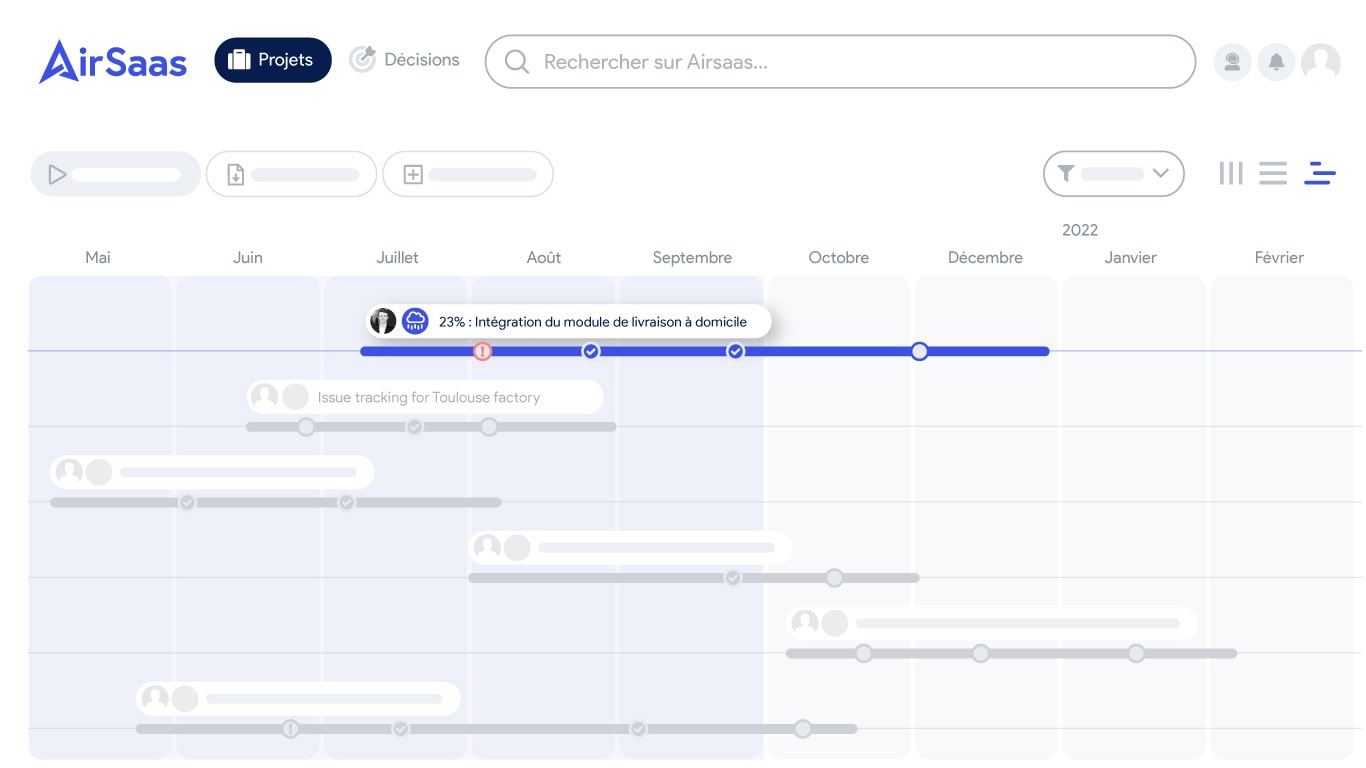
Project milestones timeline — progress bar
What is a project milestone?
A milestone marks the end of a stage and a checkpoint in the project management process.
A milestone is often associated with a major event, such as signing a big contract, bringing a product to market, or launching an advertising campaign. In any case, it marks the end of one stage and the beginning of another in the life cycle of a project.
It's the perfect opportunity for a team to take stock of the entire execution of the previous stage before moving on to the next one.
In fact, a milestone marks a definitive transition to the next stage: once validated, there's normally no going back in the project schedule.
One more thing: milestones don't really have a duration — or rather, it's zero. A milestone is more of a marker that identifies the end of one stage and the beginning of another.
In short, milestones are like signposts along a road, showing you how far along your project management journey you are.
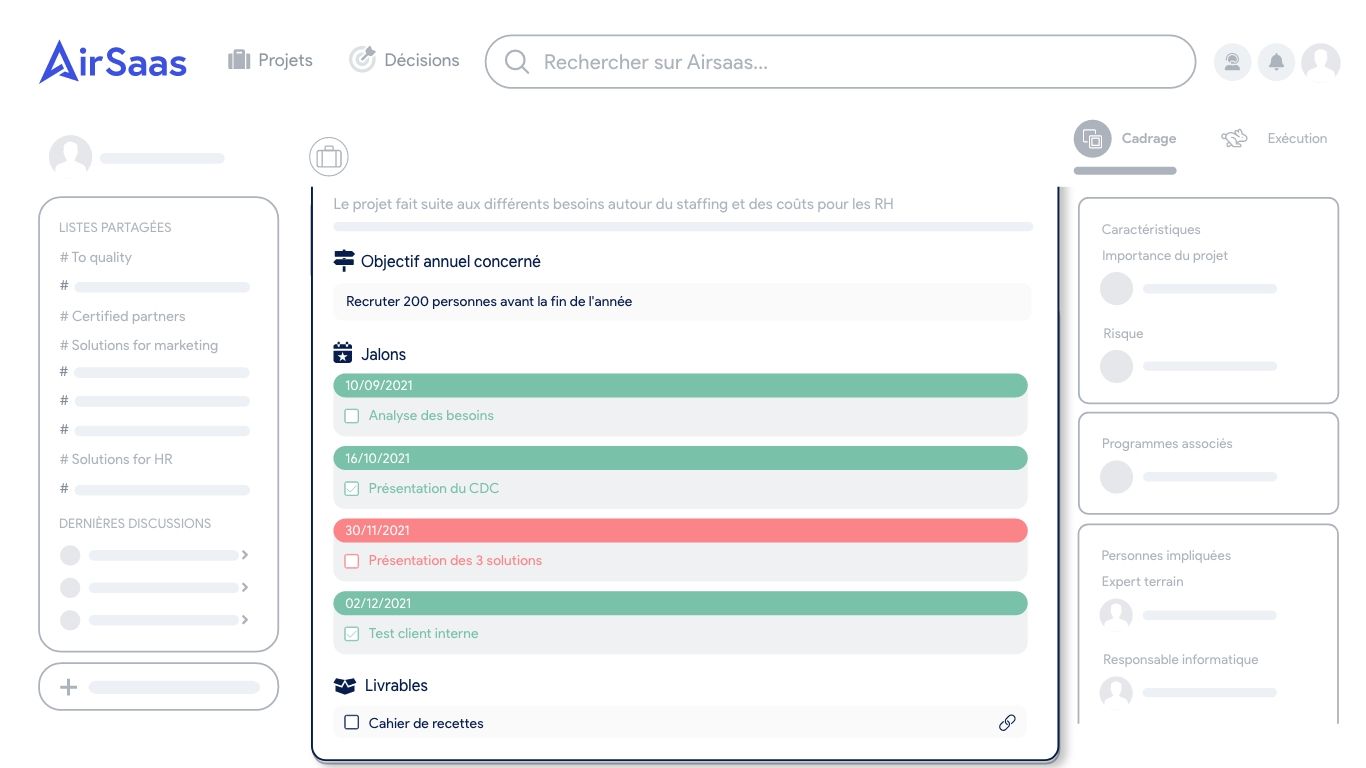
Updating a project's milestones in AirSaas, the project portfolio management software
Why set project milestones?
Project milestones serve three main purposes:
- Review the execution of the past phase: learn from the mistakes made, highlight what worked, and adapt the planning of the next phase accordingly.
- Check the various deliverables: verify that they all comply with what was defined during project planning.
- Approve the launch of the next phase: potentially with adjustments based on the lessons learned from the previous one.
But milestones are also important levers to motivate your team and optimize project execution:
- They prevent your goals from seeming unattainable. When the target is too big, it can discourage your team members, who then don't know where to start. By breaking your goals down into milestones, you increase your team's involvement — and with it, the project's chances of success.
- Project milestones also help you avoid the tunnel effect. A leading cause of project failure, the tunnel effect is the moment when it's no longer possible to know where each team member's work stands. By setting milestones, you create fixed checkpoints that serve as navigation markers for the project manager and the whole team.
- Milestones are also good levers for successful project communication with all of your project's stakeholders. The number of validated milestones is a good indicator of project progress, especially for people who don't work on it day to day.
How to set your project's milestones?
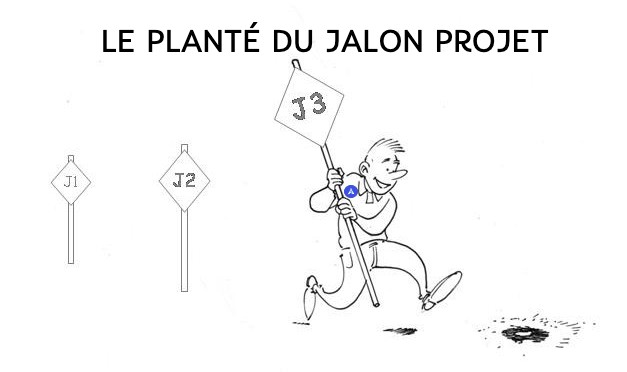
The delicate art of "planting" milestones in your projects!
Find the right number of milestones
What's the ideal number of milestones for a project? Not too many, not too few! No need to ask Wikipedia! Simply put: it all depends on the characteristics of your project or product — there's no optimal number of milestones.
If you settle on too many milestones, you're probably confusing tasks with milestones. Milestones are meant to share a macro-level view of the timeline with all stakeholders. If you drill down to (micro) task level, you'll demotivate the people on the project because they won't feel involved.
Conversely, if you don't set enough milestones, you're heading straight for a big problem: the tunnel effect. You may not realize that some of your team members are drifting away from the initial plan, and you significantly increase the risk of ending up in the worst-case scenario... reaching the end of the project schedule completely off track.
Many teams involve all of their members in choosing the project's milestones: it's also a good lever to engage and empower each of your team members. It also happens that you can't choose all of your project's milestones: specific conditions may be imposed by the end client, particularly when you have to hand over major deliverables.
Remember to attach a deadline to each milestone
As mentioned above, milestones don't last over time; they're the markers of a phase change in your project. You therefore need to set a date for your milestone, and that date shouldn't correspond to how long the task takes to complete, but rather to its launch or delivery date.
For example, if one of your milestones is tied to a deliverable, its deadline will be the date it's handed over to the client rather than the time you plan to spend producing it.
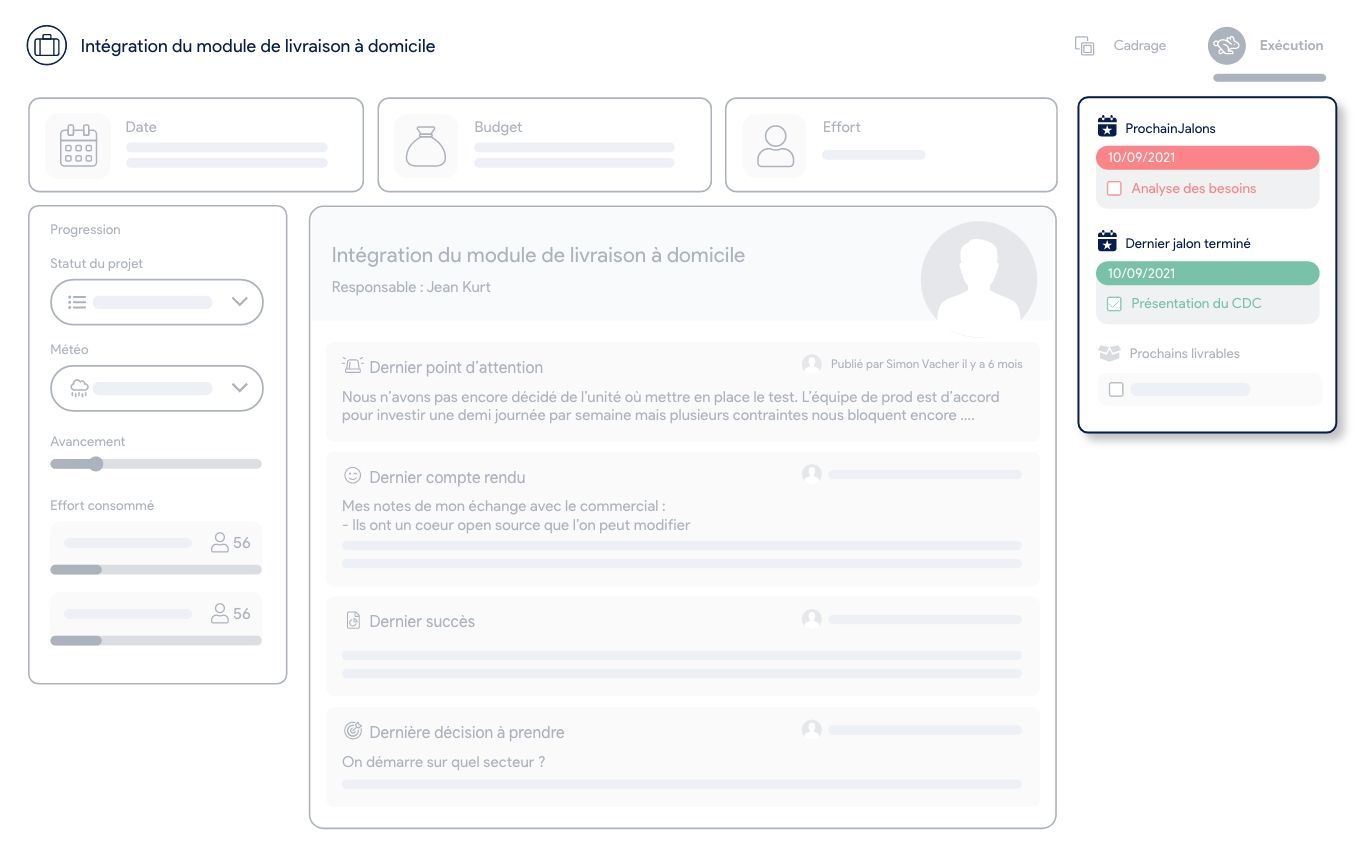
Example of milestone tracking — project event checkpoint
Examples of milestone choices
To the question "what is a milestone?", there's no universal answer. Here's a selection of example event milestones for a project:
- Assign a milestone to every critical task: critical tasks are the ones that must be completed, or they'll slow down or even block the entire project. If you want to maximize your chances of avoiding bottlenecks, don't hesitate to spotlight these critical tasks by flagging them as milestones for your team.
- Assign a milestone to every major event in your project: get together with your team to decide what you consider major events in the plan, in light of your project or product goals.
- Assign a milestone to the achievement of a key objective: you can also decide to set your project's milestones through the lens of your results. Take enough time to quantify your objectives intelligently — otherwise, you risk ending up with milestones that are too frequent or, conversely, too far apart in time.
Using confidence levels in project milestones
In AirSaas, the notion of milestone comes with attribute elements: the owner, the weight, and the confidence level.
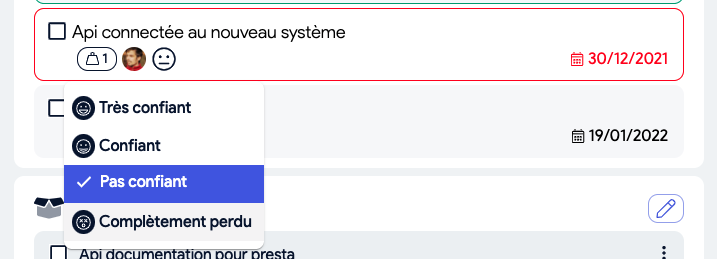
Project managers can use AirSaas and its feature for adjusting the confidence level of a milestone
The confidence level in a project milestone is one of the new features that simplifies the tracking of checkpoints.
For example, you can track your milestone progress objective thanks to an automatic calculation that takes into account completed milestones and their weight.
Tracking work with milestone-related information can help keep continuous drift in check.
Managing by milestones vs. managing by tasks
In every organization, executives and managers want to control the risk of a project going off the rails. To do so, they try to set up task-based management, which takes the form of the famous Gantt chart.
Unfortunately, most organizations don't manage to roll out this type of project management for the majority of the company's projects because:
- The project culture is too heterogeneous across the company
- There's not enough training for project managers
- The business leads involved are not trained to break down their assignments into tasks
- Most projects are not projects that have already been done before, so it's very hard to slice the project precisely into separate assignments and manage it task by task.
- Communication between teams is not authentic, and far too much is left unsaid.
This creates a lot of frustration for everyone involved.
An alternative to task-level control and Gantt charts is milestone-driven management. On this topic, check out the article: The Gantt chart: how to use it?
What if you took back control of your project portfolio?
Book a demo and discover the tool in 30 minutes.