October 7, 20215 min readBertran Ruiz
Gantt Chart Guide: How to Use It in Project Management


Contents
The Gantt chart is one of the most widely used tools to simplify project tracking. Its visual simplicity lets everyone see at a glance all the tasks to be completed and their deadlines. It's one of the "must-haves" of project management.
Here's a closer look at this project management tool, its benefits, and the method for creating your own.
What is a Gantt chart in project management?
The chart is named after its creator: Henry Gantt. He designed his tool in the early 20th century with one goal in mind: optimizing the organization of work on the shop floor. While the Gantt chart was initially far more effective for organizing small projects, it was later refined by Morgan Walker and James Kelley with their CPM (Critical Path Method). It then became capable of improving the planning and execution of much larger projects.
Today, the Gantt chart is considered one of the best tools for organizing and planning the tasks required to deliver a project.
The principle is simple:
- The y-axis lists the tasks to be completed
- The x-axis shows the units of time
The Gantt chart therefore gives the project manager a global view of all the tasks and the deadlines attached to them. The longer the rectangle representing a task, the more time has been dedicated to completing it.
Tasks can be connected to each other: in that case, you know that one cannot start until the first one is finished. The Gantt chart is thus one way to avoid running into a bottleneck and falling behind the planned schedule.
Thanks to its visual simplicity, the Gantt chart lets anyone — whether they know the project well or not at all — grasp at a glance the different activities required to see the project through, as well as how they are organized over time.
Why build one?
Using a Gantt chart for project management offers many advantages — here are a few:
- It provides precise visibility into a project's timeline: every team member can see at any time which tasks need to be done and by when. The Gantt chart can also serve as a support for the project schedule.
- Structure all kinds of complex projects: the Gantt chart is a universal tool. It can be used in any field, since every project is broken down into tasks with deadlines and, very often, milestones. And the chart lets you simplify how your team members see the project: it separates the stages and shows the whole team the path it needs to take.
- Meet deadlines: the Gantt chart is a very effective tool for estimating how long your tasks will take, and therefore the workload to assign to them. You can thus make the most of your time and people by allocating them in the right place, and plan the project timeline intelligently.
- Prioritize tasks: projects can involve dozens of different tasks. It quickly becomes hard to see clearly: which task absolutely needs to be done now? Which one can wait? Applied to project management, the Gantt chart lets you spot the critical paths in a few seconds, helping you organize your efforts to maximize your efficiency!
How to create a Gantt chart?
Several methodologies exist — here's one in 5 steps.
1) List all your tasks
Bring together all your project's stakeholders and ask them to list every task they need to complete: you'll end up with the full set of tasks required to deliver your project.
Feel free to break each of these tasks down into subtasks, which can themselves be subdivided into actions (as bullet points, for example).
The goal is to leave nothing out: the more exhaustive your chart, the better your chances of meeting your deadlines. Then place all these tasks, subtasks and actions (if needed) on the left side of the chart.
2) Assign your resources to each task
Next, you need to assign each of your resources (budget, people, etc.) to your tasks and subtasks. For example, you must determine how much work each of your teams will contribute to the different tasks you've listed.
You can also go into a bit more detail by allocating each team member's workload to subtasks or even individual actions.
3) Plan over time
Once you've listed all your tasks and sorted out your project's resource management, you'll need to organize them chronologically. The goal here is to find the ideal order in which to complete your various tasks.
For each of them, set a start date and an end date. Take the time to properly estimate how long each of these tasks will take to complete.
4) Connect your tasks to each other
The idea here is to avoid getting stuck in your project management because completing one task was a prerequisite for starting another. And that's exactly the point: by linking two tasks together, you can see at any time that one depends on the other in the chart's critical path.
Remember to distinguish between several types of connections:
- Sometimes a task cannot start until another one is finished
- But it can also happen that the start of one task depends on the start of another
- Connections can also be multiple: for example, when several tasks must be completed before another can be executed
Note that a task can have several mandatory predecessors. In that case, all of those tasks must be finished before starting the next one. Conversely, a task can have several successors. In that case, the end of that task conditions the start of the others.
5) Add milestones
Project milestones mark your project's key stages. By defining them and anticipating important deadlines, you increase your visibility into your project's execution. By adding them to your Gantt chart for project management, you'll be able to see the different phases and major stages of your project at a glance.
Gantt or Kanban?
The Gantt chart gives you a global view of all the tasks you need to complete, along with the dates by which they must be done. The Kanban, on the other hand, lets you dig deeper into the details of your project's execution.
The Kanban method thus offers several advantages that complement the Gantt chart: you can track the progress of each task, involve your team members, and use it to support your meetings. Combining these two planning tools can be a real asset for your project!
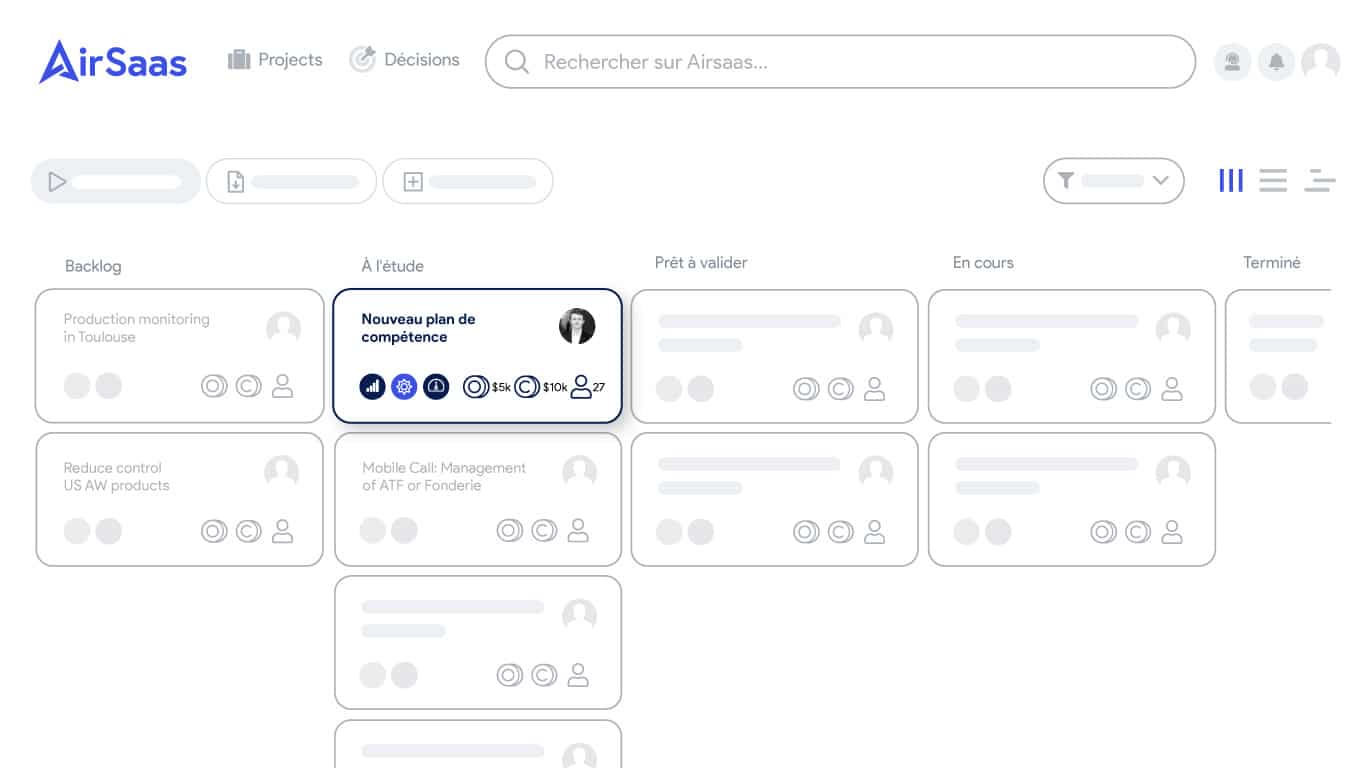
Kanban view of a project
After Gantt, (re)discover the project milestone: a technique for sequencing your projects intelligently.
What if you took back control of your project portfolio?
Book a demo and discover the tool in 30 minutes.