Budget tracking
for your projects
Budget is the GPS of the projects in your portfolio. It keeps you on course while avoiding drift. It is also an indicator that tells you projects are progressing properly. Keep an eye on it to control spending better.
Already adopted by 100+ CIOs of mid-market companies and large groups
Kiabi · Valrhona · Leroy Merlin
 ISO 27001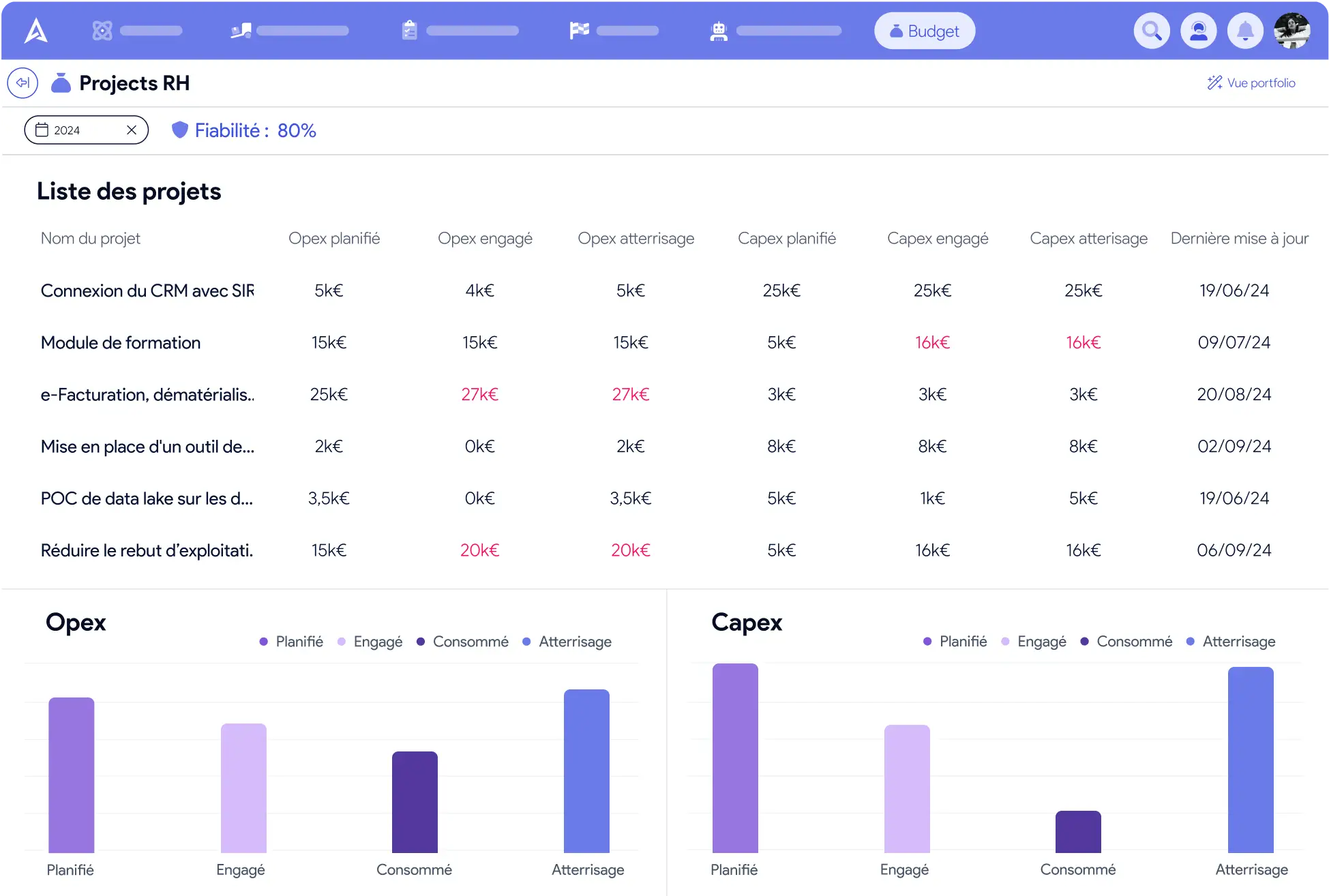
Easy tracking without the headache
Having a real-time picture is essential at every phase of a project, to know where you stand. It lets you track your budget easily and present it to your leadership in a few clicks, straight from AirSaas.
Simplified framing with a detailed budget
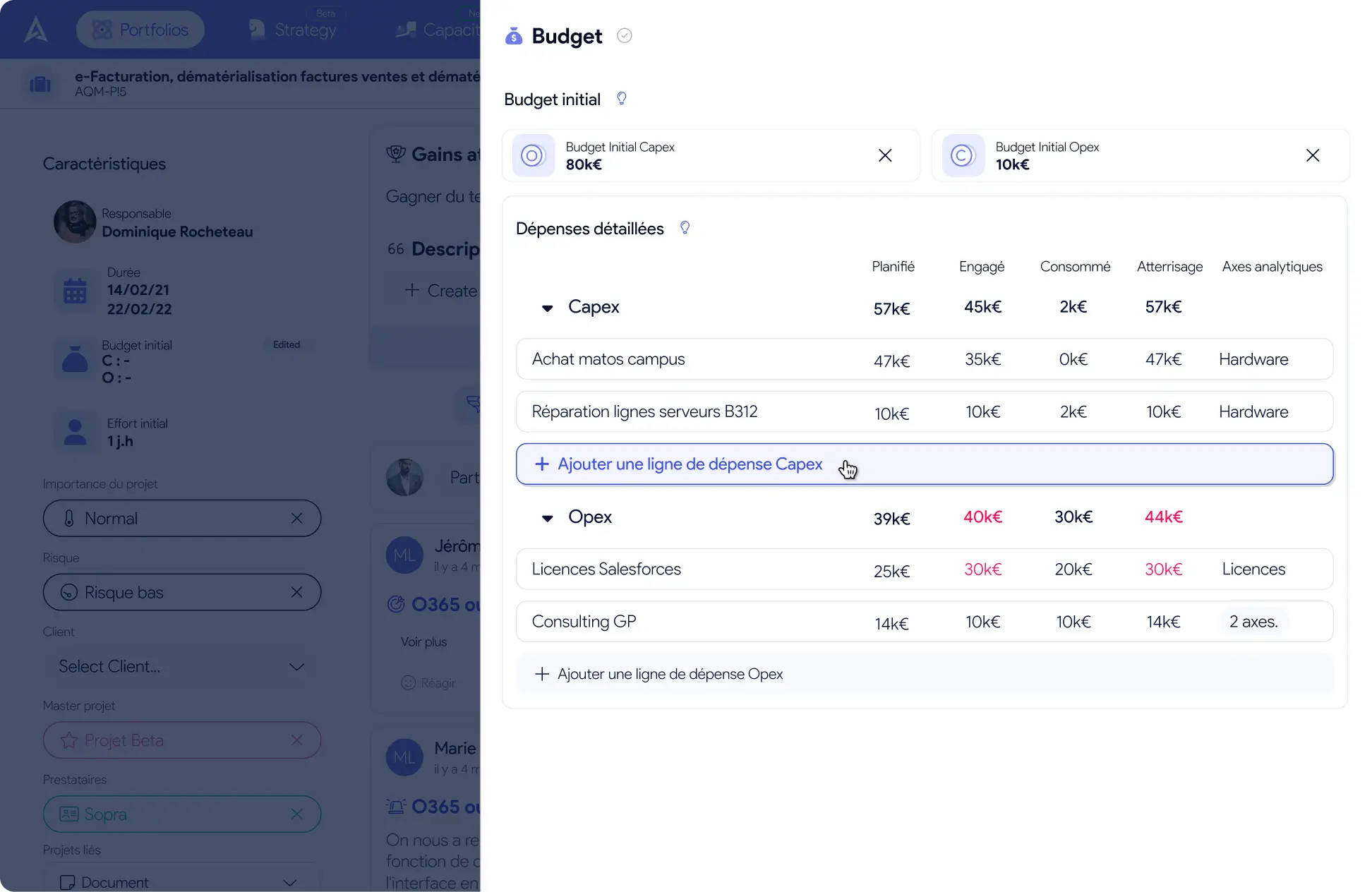
For every project in the framing phase, your project managers add several detailed expense lines, classified as CAPEX and OPEX, to anticipate the costs and make the approval step objective.
Powerful rituals for budget tracking
Which overruns should we anticipate before the end of the quarter?
Which program still has budget available?
How do we justify this request for more?
Why has spending on this project doubled?
Where do you think you will land by the end of the half-year?
Shine in your budget reviews. With tracking of “committed”, “consumed” and “landing” spend, you will have an answer to every question:
It is a real plus for your next budget trade-offs
Consolidated views that are easy to share
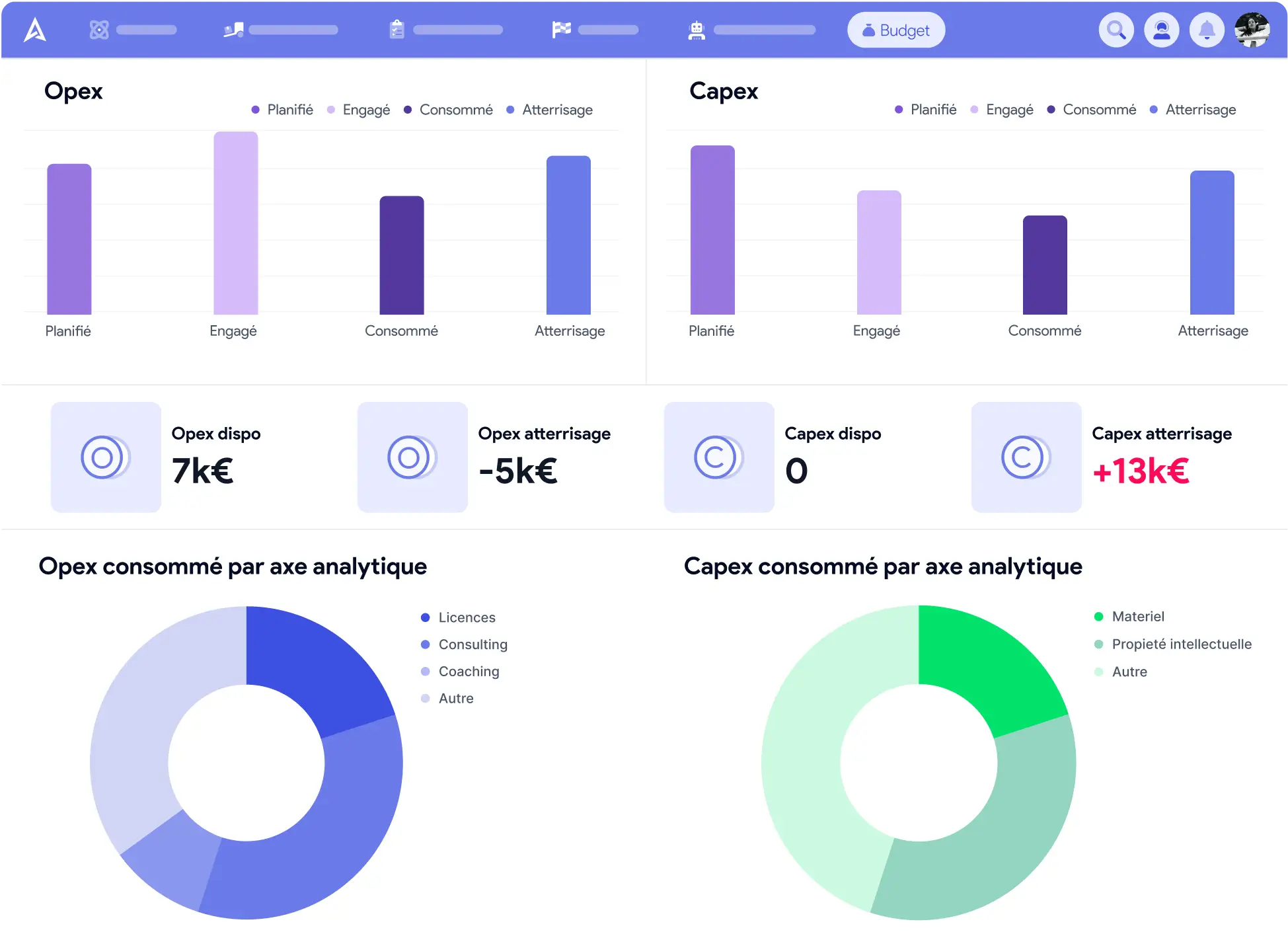
Because visuals matter, you can now pick the group of projects you care about, switch to the budget view, and get a picture that speaks for itself thanks to the charts. These consolidated views are easy to share with the ExCom members during meetings.
Account for the human cost of projects
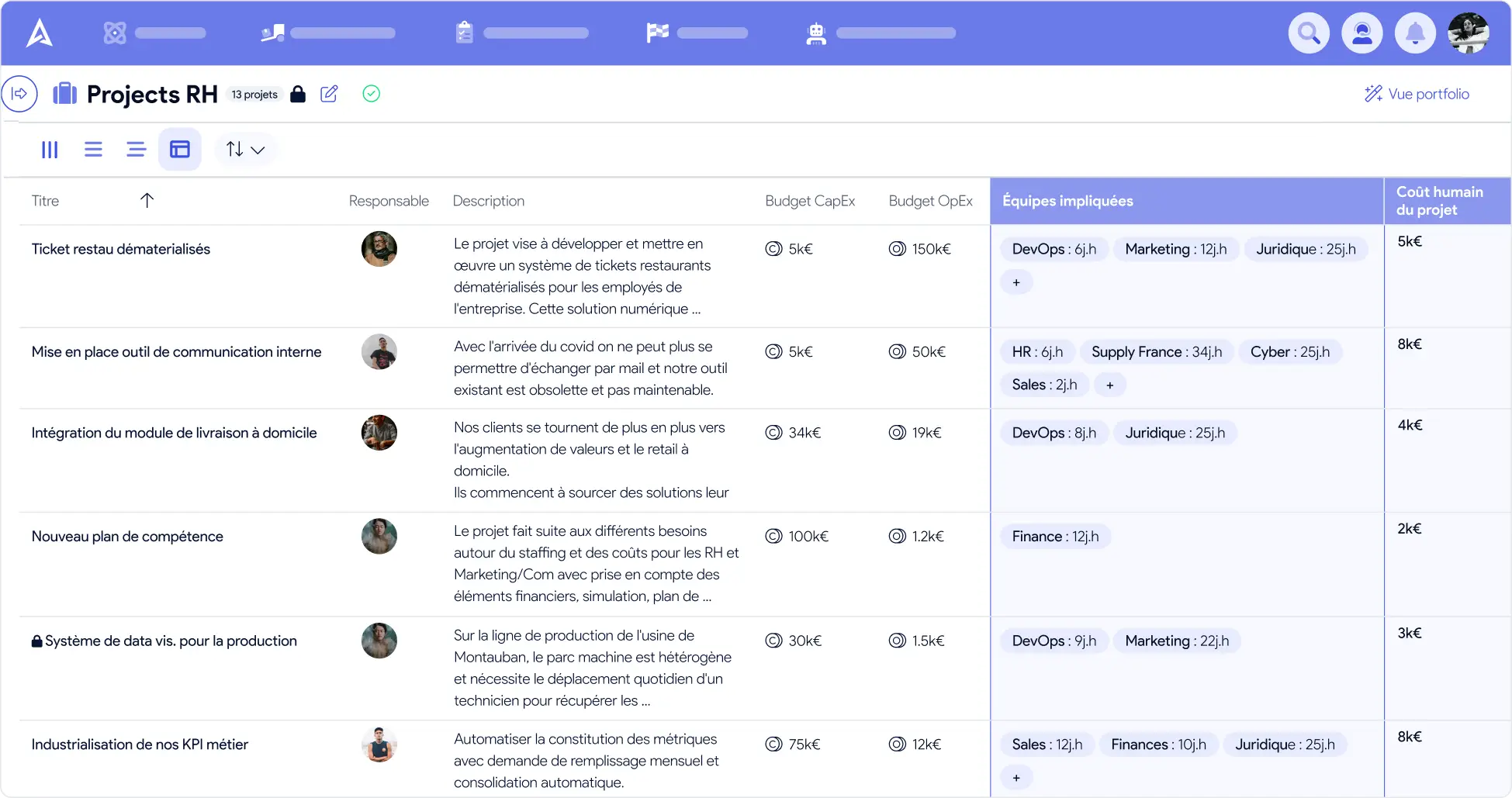
People are the largest line in project budgets. Internal or external, let us not forget them. In AirSaas, enter your teams' day rates and discover the human cost of your projects.
Indicators for steering with peace of mind
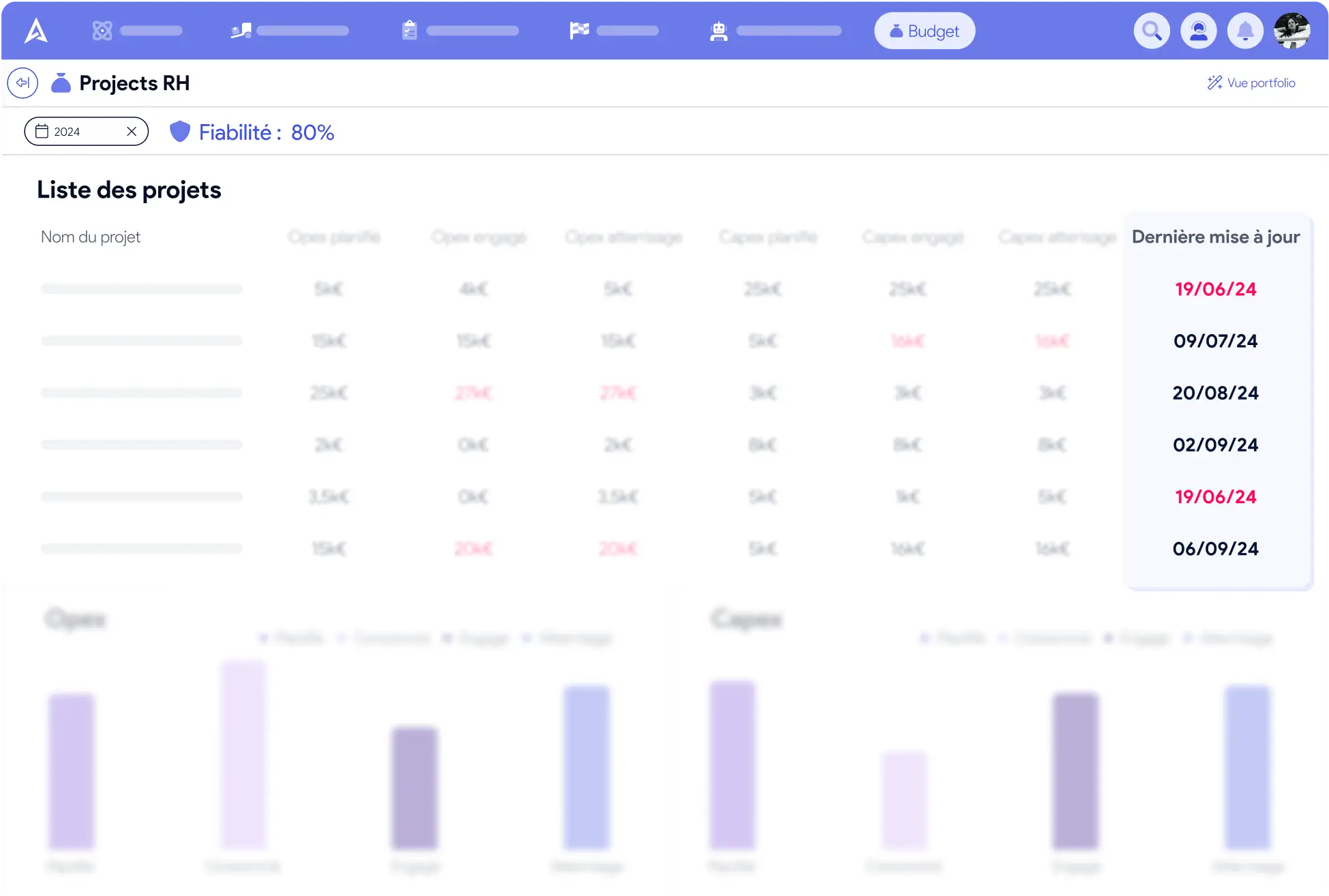
Tracking project budgets is good, but for that you have to trust how “fresh” the data is. For every expense line, the date it was last updated is visible. AirSaas also gives you a reliability indicator, for tighter control.
Keep an eye on additional spending
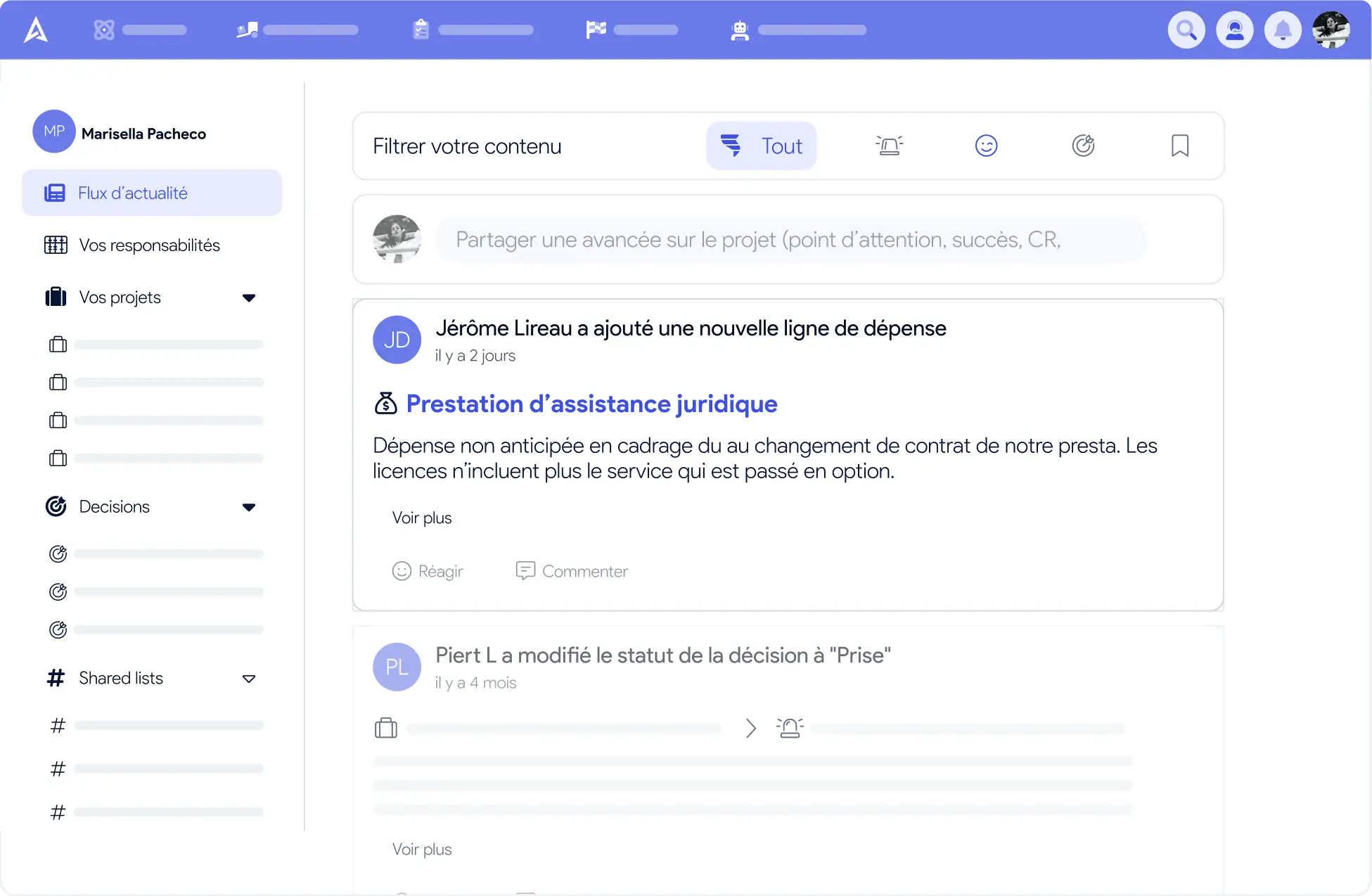
Predicting every necessary expense when the budget is built in the framing phase is hard. If new expenses appear during execution, no problem: you can add them to the ones already planned for more agility, while keeping a record of what was approved at framing.
Expense customization that fits your organization
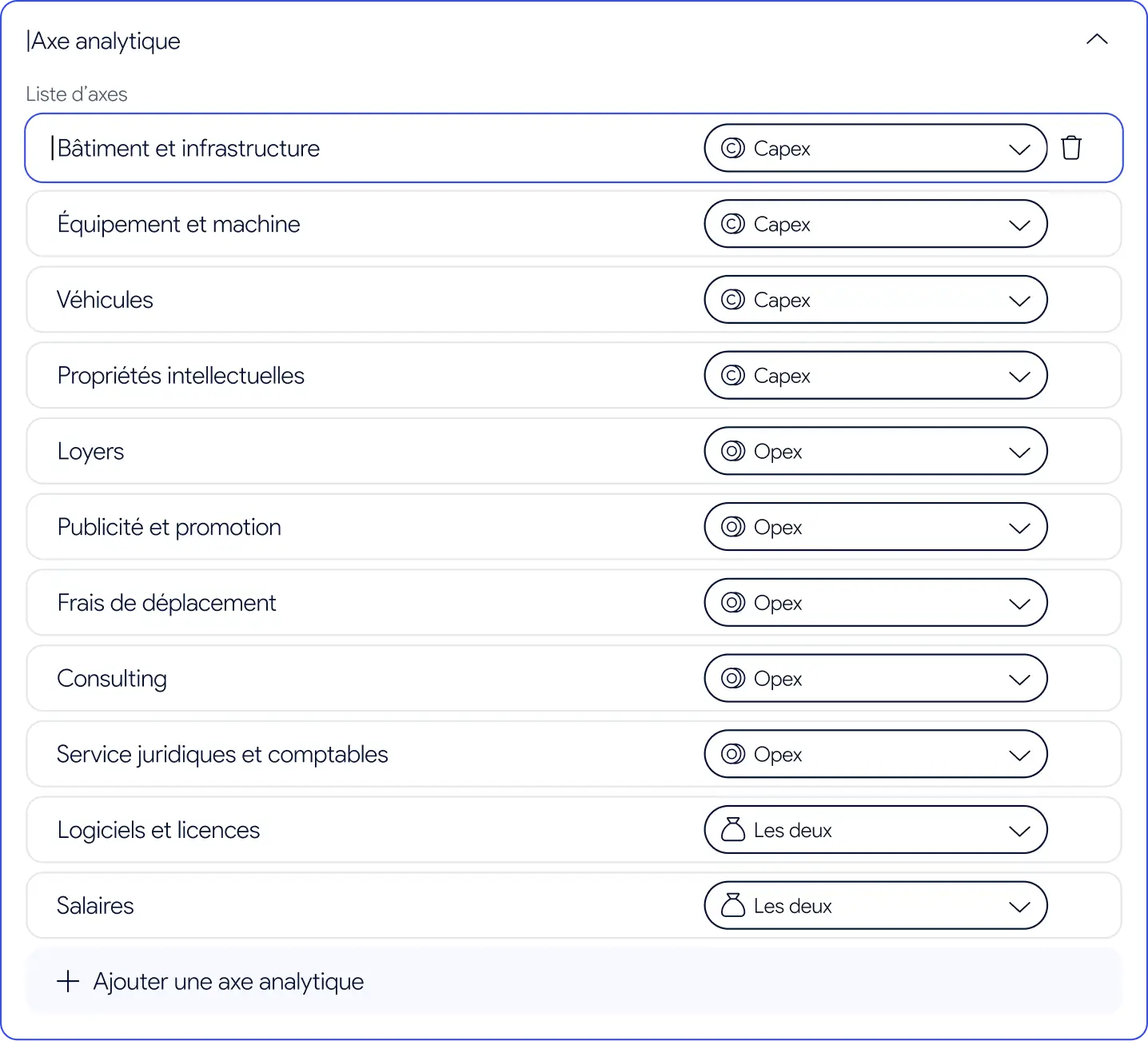
AirSaas adapts to every kind of organization, so your budget tracking is even easier to grasp. For each expense, your project managers can enter an analytical dimension. You can then open the consolidated charts of project spend by dimension and discover the main cost centres. If the analytical dimensions on offer are not enough, no problem: you can add your own in one click.
Budgets are a central theme when it comes to project portfolio management.
Track the totals of planned / committed / consumed spend
Anticipate where your projects will land, so you can make the necessary trade-offs
Get a real-time view of the budget available to reallocate
See the breakdown by analytical dimension, to make better sense of your spending
With AirSaas, it is simple to:
Want to try it?
Let's talk, and get a demo tailored to you
FAQ
Yes… and no. Once the project is approved at framing, the amount entered as planned no longer changes. You can, however, add new expense lines if you need to. A “modified” tag then appears on the total planned amount.
The list of projects with their details and update dates, the Opex and Capex totals, and the breakdown of the budget by analytical dimension.