 ISO 27001
1 month
to be up and running
AirSaas gives you a clear, actionable capacity view. Finally a tool to say “no” with data, not gut feel.
Already adopted by 100+ CIOs of mid-market companies and large groups
Kiabi · Valrhona · Leroy Merlin


to be up and running
of projects launched with capacity
of projects on time & on budget
from idea to scenario
Existing tools are too complex → nobody maintains them
You have a 1,200-column Excel that only you understand
Impossible to answer: “Can we take this project on?”
Your forecasts are precisely wrong rather than approximately right
The PMO should manage capacity. But they are too saturated by the day-to-day to get to it.
From vague idea to a positioned project takes months. Meetings, back-and-forth, finger-in-the-wind estimates...
When a request comes in vague (“we want something”), the AI agent runs the interview, collects the critical information and turns every request into a structured brief.

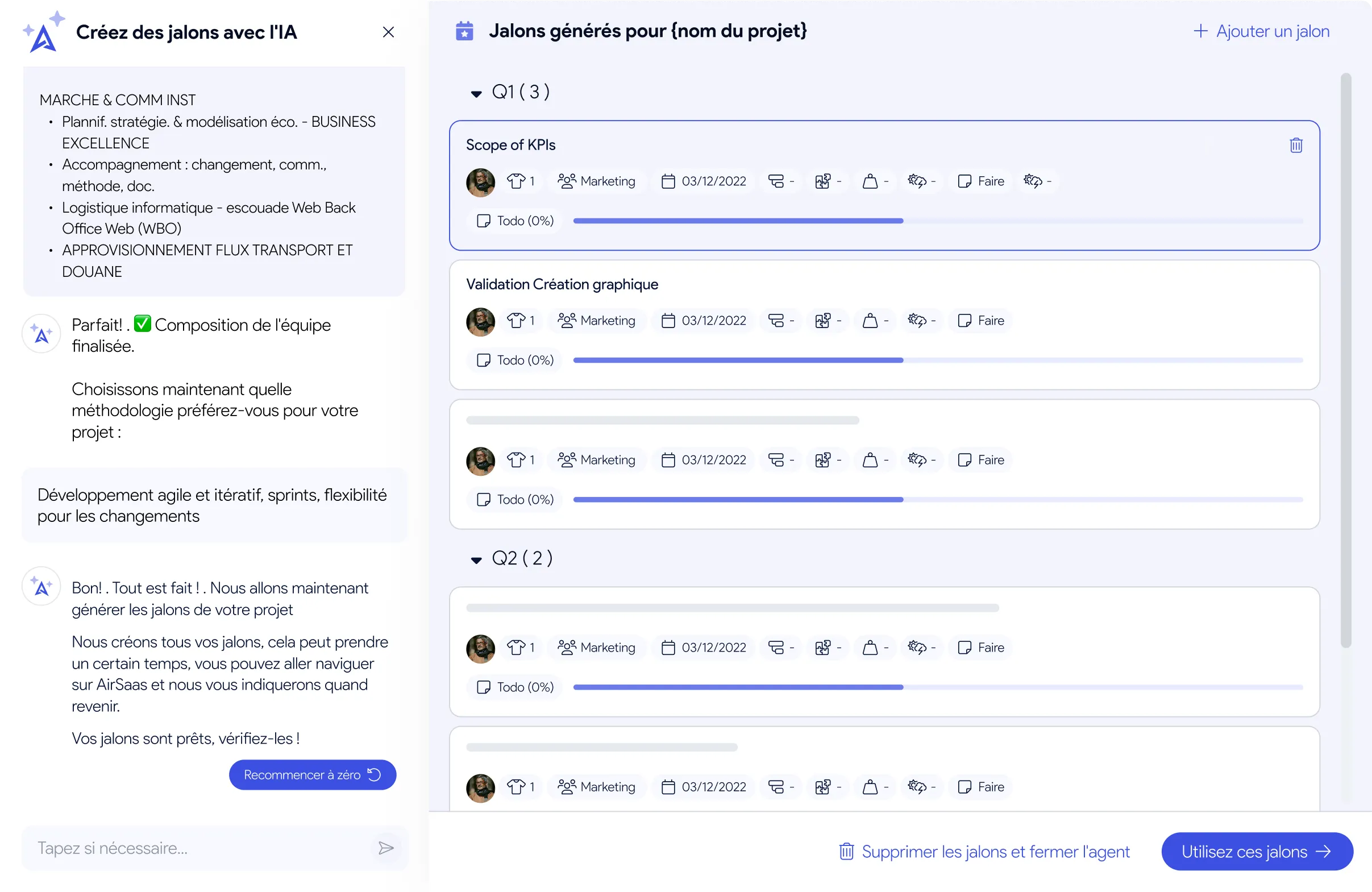
The AI automatically splits your projects by quarter and by team. It knows your teams: what they can do, what they don't do.
It used to take months. Now the 3 AI agents do the work.
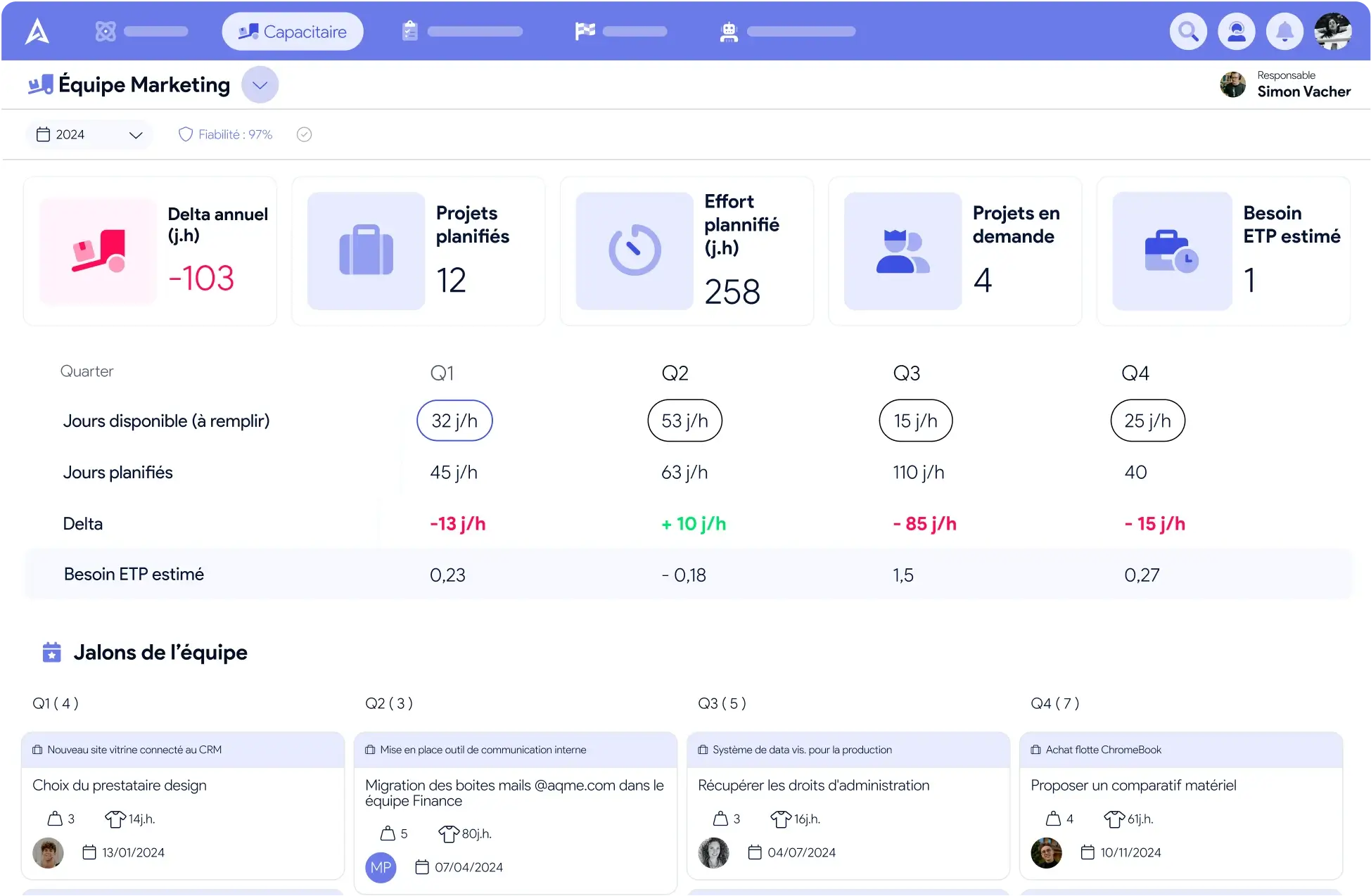
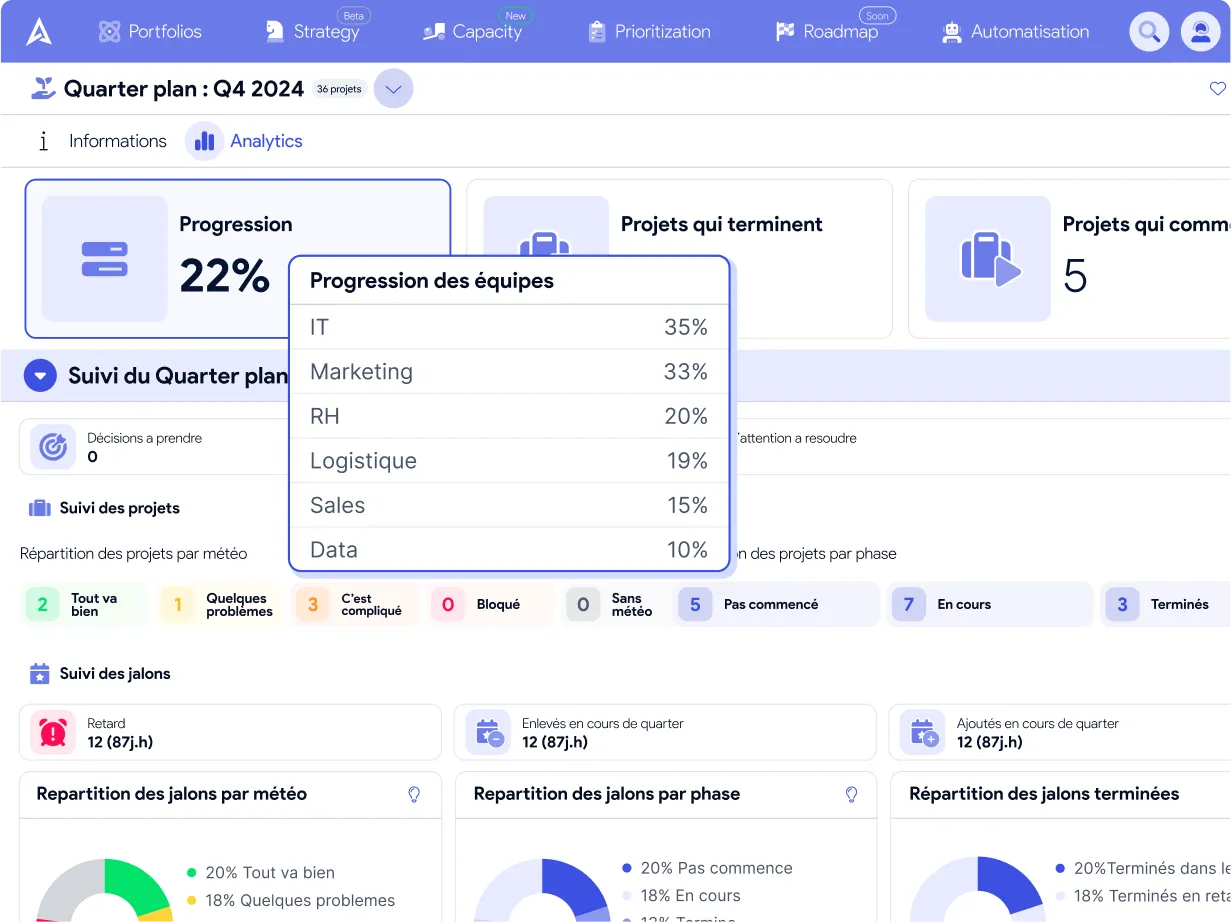
At a glance, see whether your teams are on track or under water. The basis for a pragmatic arbitration conversation.
How many days can your teams really give to projects next quarter? Until you know, you are deciding blind.
No half-day micro-estimates that will be wrong by tomorrow. Estimate at the deliverable, not the task. Approximately right rather than precisely wrong.
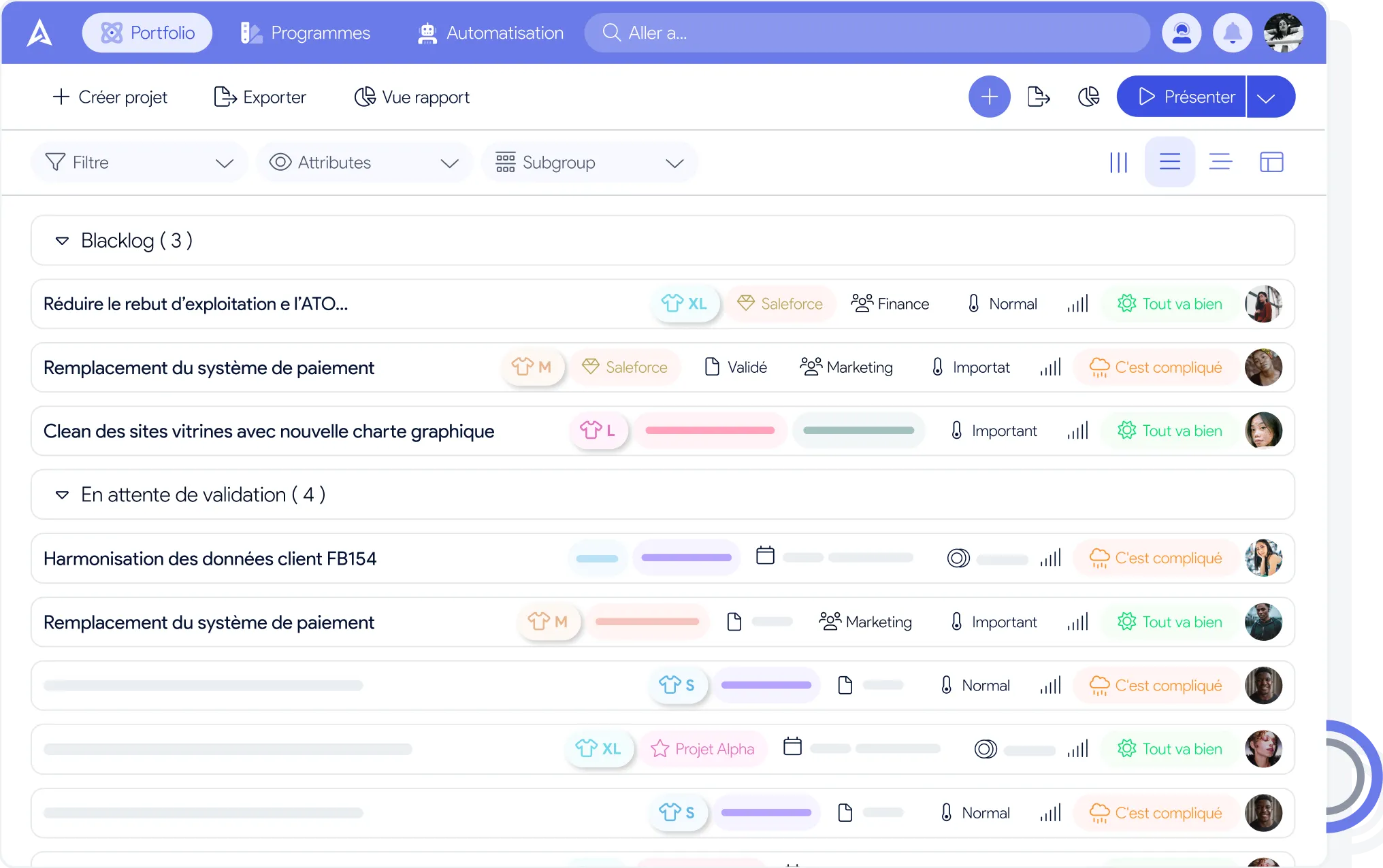
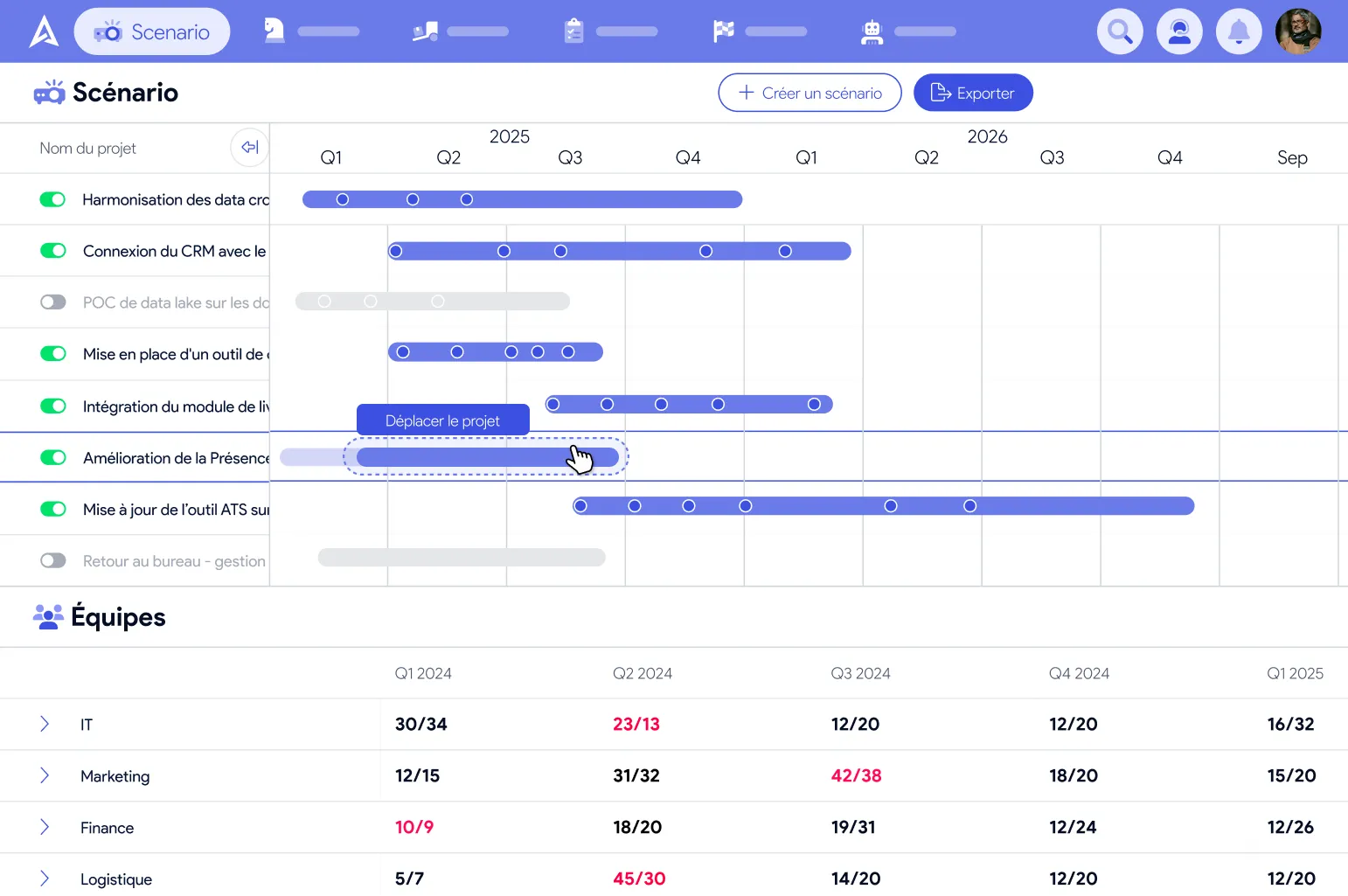
What happens if we postpone this project? If we add that one? See the impact in real time. Drag & drop projects on the timeline.
The gap between what was committed and what actually shipped by quarter's end. Without this KPI, you can't improve cycle after cycle.
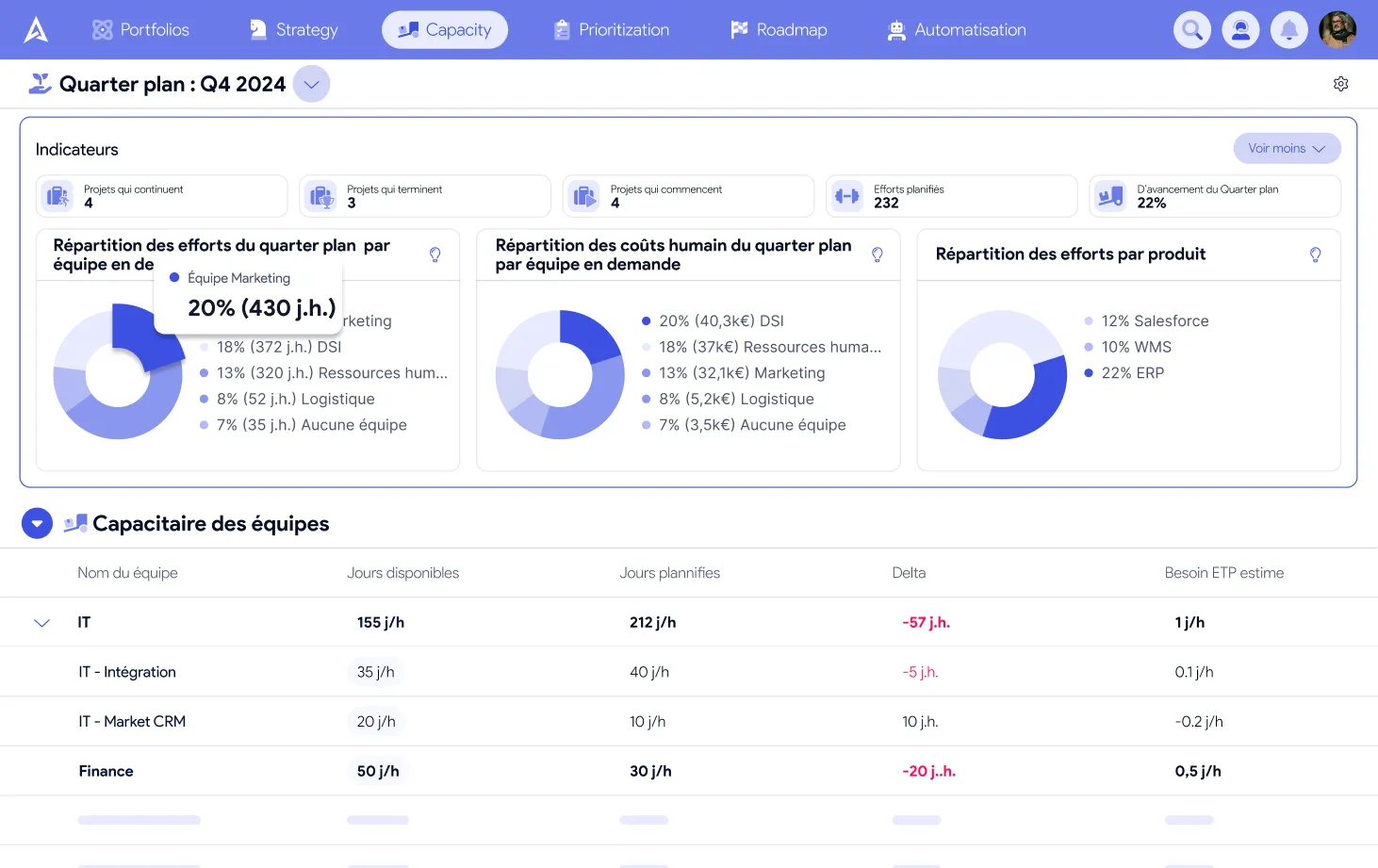
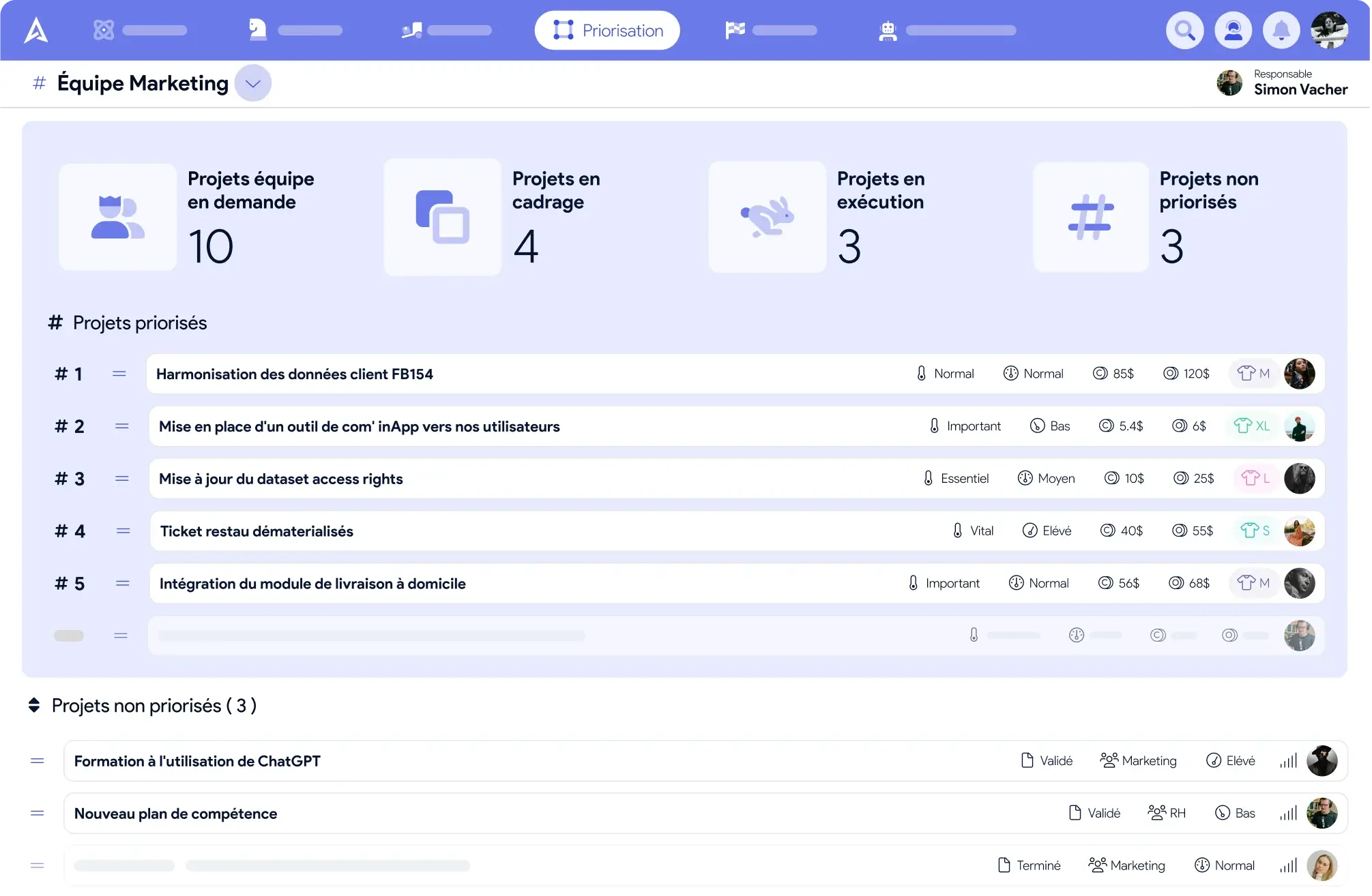
Stop building individual schedules. Reason at team level. Split by homogeneous skills: Data, Security, Frontend...
“Approximately right rather than precisely wrong”
Capacity by quarter, by team. Not by task and by person.
Because an over-precise capacity plan always ends up in the bin.
Finally answer “can we take this project on?” with data.
AirSaas clears the bar of the most demanding IT departments.
AirSaas lets us steer our capacity to deliver across every business unit. It makes ExCom arbitration concrete and pragmatic.
 Sébastien Louyot
At last we can answer “can we take this project on?” clearly, without spending 2 hours in Excel.
 Aurore Butrot
A simple, guided rollout — not a 6-month IT project.
Define your teams and their capacity
Import your projects and estimate in T-shirt sizes
Test different prioritizations
Arbitrate with data
Split your teams by grouping people with homogeneous skills: “Data”, “Security”, “Frontend”... Each team gets its own capacity.
The quarter works well because it aligns with business cycles. But you can configure whatever duration suits you: semester or PI.
1 month for the initial setup and pick-up. Allow 3 months for a full Quarter Plan, well anchored in the organization's rituals.
Yes — to know what is possible at the macro level, which is exactly what top management lacks to prioritize. For micro-planning, keep your operational tools.
See how AirSaas simplifies your capacity planning, and frees the PMO from administrative chores to finally focus on strategy.
30 minutes to see how AirSaas can transform your day-to-day as a PMO.
Pick a slot →Quarter Plan & capacity management: the complete method.
Download the Book →